
Free tools · Remove Background
Remove the background from an image
A free background remover: drop a photo and press Remove background. You get a PNG with only the subject left and the background transparent, or on any color you pick. It runs on your own device, so it’s free and your photo isn’t uploaded.
- Free
- No upload
- No account
- Transparent PNG
- Fix it with one line
- Hair and fur
- Any background color
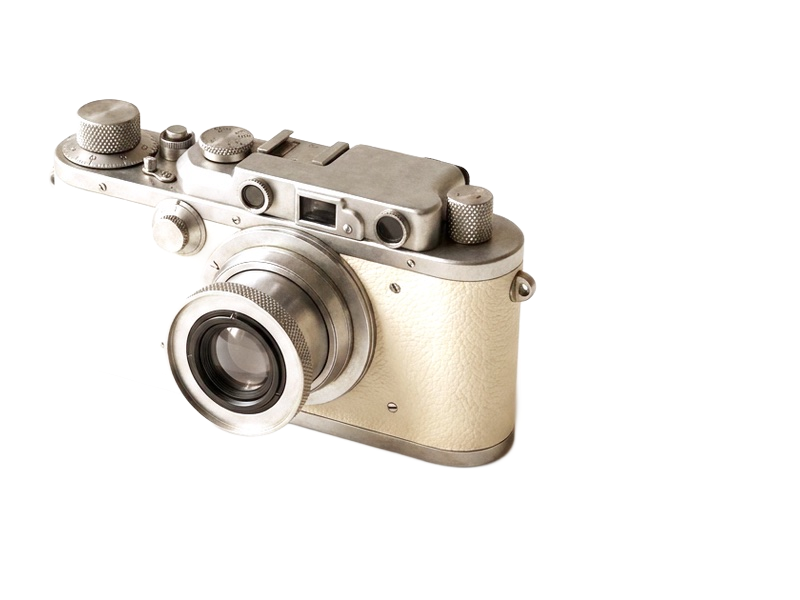
What the tool above does
- Picturesdrop yours here
- SubjectPeople, or Anything
- EdgesHair & fur to start with
- Backgroundtransparent, or a color
- Savenamed “name-no-background”
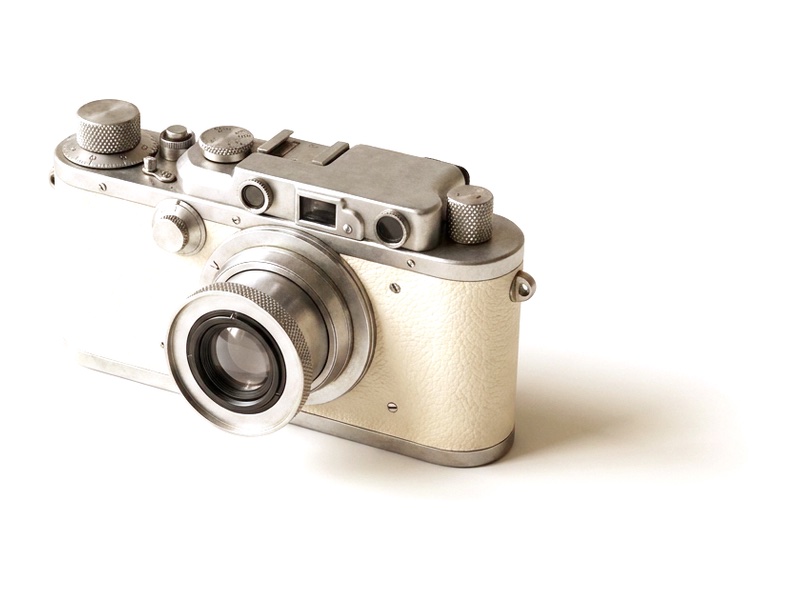
Example: one of Weekend Studio’s own product photos, with Subject set to Anything. The tool starts on People.
Need more steps after the cut-out, such as a crop, a border or a logo? The same remover is a node in Weekend Studio’s node editor.
See how it worksHow to make a background transparent
Add your photo
Drop it in the Pictures box on the left, or press Upload.
Say what to keep
Pick a Subject: People is for a person; Anything is for a product, a pet or an object.
Check the edges
Drag the line on the picture to compare, and zoom in. Press Add or Remove above the picture and draw across anything it got wrong.
Save
Press Remove background, and the PNG downloads.
Get one picture right
The model finds the subject on its own, but no model is right on every photo, so the tool gives you three ways to fix one.
- Edges
- Hair & fur, to start with, refines hair and fur along the edge with a second model, so it’s a little slower. Soft follows the model’s own edge. Sharp follows the photo’s own edges at full size, for products and hard outlines.
- Add and Remove
- Press Refine object selection, or Remove above the picture, and draw across what it got wrong, a chair left behind, say, or press Add and draw across a part it missed, such as a bag the person holds. The whole object under the line goes or comes back, along its own edge, found by a second model, the one Weekend Studio’s Images uses to select objects. Take back undoes a line; press Done when you’re finished.
- This picture
- If People missed an object the person is holding, switch this one photo to Anything, or the other way round.
Two models, on your device
- People
- MODNet, made for people, and better on hair. About 26 MB, downloaded once, the first time you use it.
- Anything
- ISNet, for any kind of subject: products, objects, animals, people. About 180 MB.
With WebGPU (Chrome or Edge on a computer), a picture took about a third of a second on a Mac once the model was in. Without it, as in Safari on iPhone and iPad, each picture takes several seconds.
This isn’t generative AI: the model only decides which of your picture’s own pixels stay. Nothing is painted in.
Transparent, or something behind it
Background is Transparent to start with. Turn it off and pick white, black or your brand’s color in the color picker, and the subject is put on that instead.
Keep the file a PNG or WebP: they hold transparency. A JPEG has none, so it’s offered once there’s a color behind.
More than a cut-out
In the node editor, the remover has a second output, Subject, which is a mask: the subject’s shape. Join it to another node to change only the person, or only what’s behind them. The Blur background recipe is built that way.
Have a folder of them? Drop as many photos as you like: each keeps its own fixes, and they save as one zip. See remove background from multiple images.
Other recipes
- Remove backgrounds
Cut out the subject of every photo in a batch and save transparent PNGs.
- White background
Product photos on pure white, made square, 2000 px, for a shop listing.
- Blur background
The person kept sharp and the background behind them blurred, with no halo.
- Upscale
Small photos made 2×, 3× or 4× bigger with AI upscaling, on your device.
Questions
Is it free?
Yes. Removing the background and saving the PNG is free, with no account and no credits. It runs on your own device, so it costs nothing to run.
Is my photo uploaded?
No. The background is removed in your browser, on your device. Only the model comes down, once, from Weekend Studio.
Why is the first one slow?
The model is downloaded the first time: about 26 MB for People, about 180 MB for Anything. After that it’s ready, and the next picture is quick.
It cut off part of my subject. Can I fix it?
Yes. Press Add above the picture and draw across the part that’s missing: the whole of it comes back. Remove does the same for what should go.
How do I put it on white instead?
Turn Transparent off under Background and pick white. For shop photos, the white background recipe also makes them square.
What file do I get?
A PNG with a transparent background, named after your photo with “-no-background” on the end. Your original isn’t changed.
Build your own
The remover is also a node in Weekend Studio’s node editor. Add a crop, a border or a logo after it, and it all runs in one go.
See how it worksMore free tools
Remove Background is one of the free Widgets in Weekend Studio Tools, with the image converter, the gallery maker and the PBR Texture Generator.
Open Tools Read the Tools docs