Weekend Studio · Develop
RAW photo editor
Develop opens the RAW files from your camera or phone (CR2, CR3, NEF, ARW, RAF, DNG and more) and edits them in 16 bits. Free, in your browser, no install and no account needed.
- Free
- No account
- CR2 · CR3 · NEF · ARW · RAF · DNG
- 16-bit
- Lens corrections
- Export to JPEG
Open a RAW photo in Develop
Open Develop
It opens on your Library. No account is needed.
Bring photos in
Drag RAW files onto the window, or choose File › Import › From device…. Several at once is fine.
Develop one
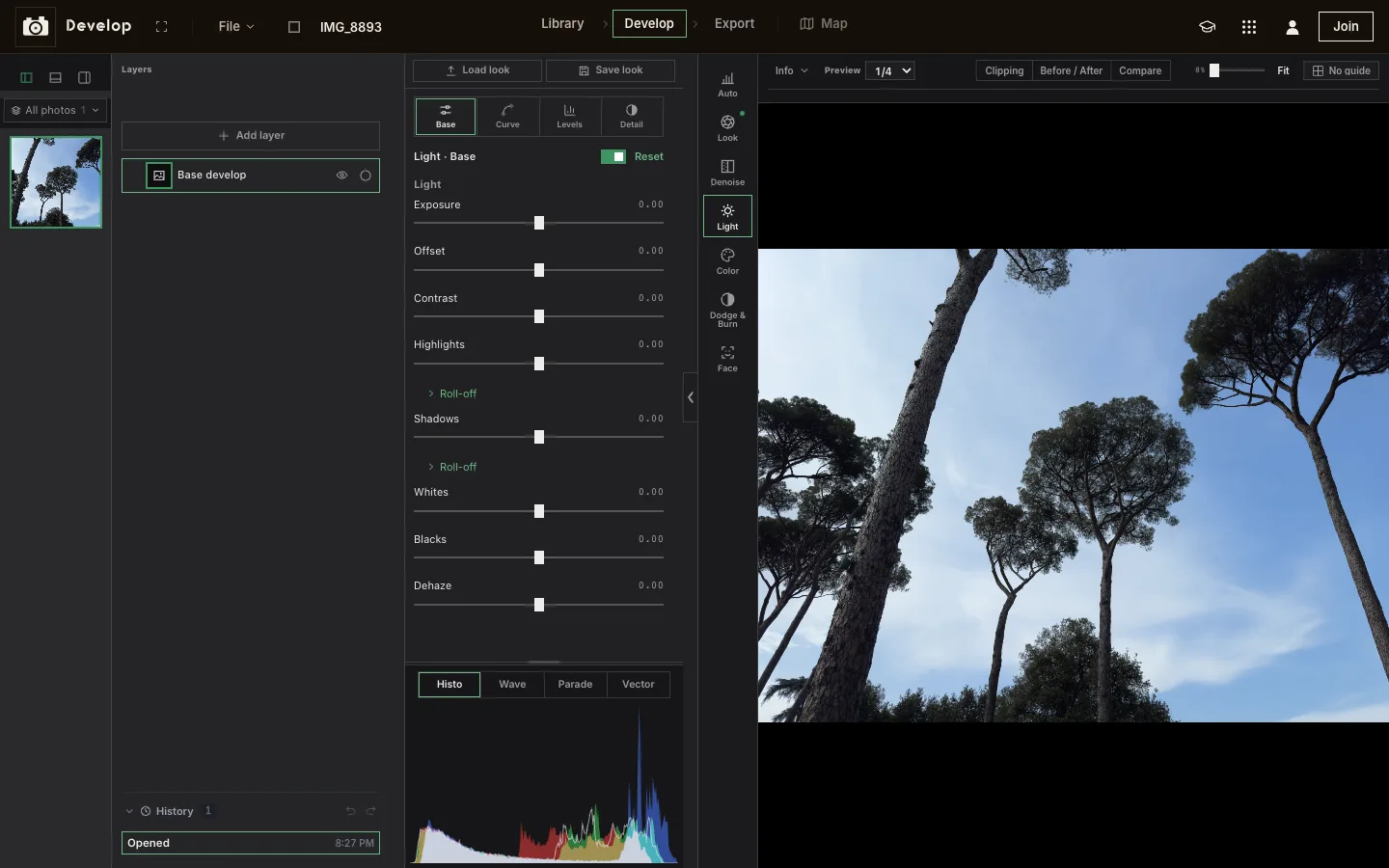
Double-click a photo. The tools sit beside it: Light, Color, Look, Crop, Optics, masks and effects.
Export
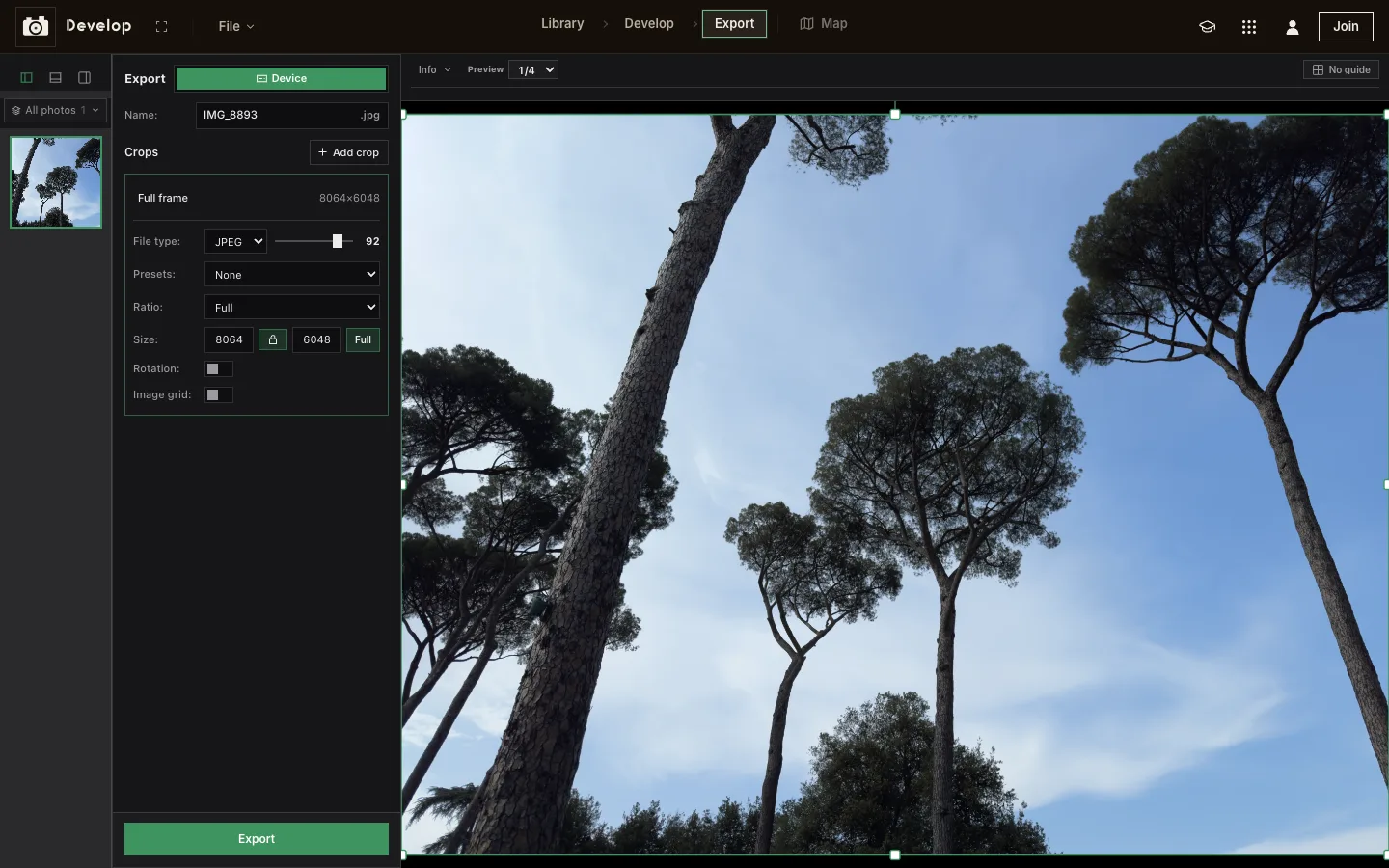
Export saves JPEG, WebP or PNG at full size, in as many crops as you need.
The RAW formats it opens
Develop decodes RAW files with LibRaw 0.22.1, whose camera list has 1,284 models. These are the files it takes:
| Camera maker | Files | Tested here |
|---|---|---|
| Canon | CR3 CR2 CRW | CR3 (EOS M50) |
| Nikon | NEF NRW | NEF (D750) |
| Sony | ARW SR2 SRF | ARW (α7 II, α7R V) |
| Fujifilm | RAF | RAF (X100VI) |
| Panasonic, Leica | RW2 RWL DNG | |
| Olympus, OM System | ORF | |
| Pentax, Ricoh | PEF DNG | |
| Apple ProRAW, Android phones | DNG | ProRAW (iPhone 15 Pro Max) |
| Others | SRW 3FR IIQ MOS MEF MRW DCR KDC X3F GPR RAW |
Not yet: Nikon’s High Efficiency RAW (HE and HE*, from the Z 8, Z 9, Z 6III and Z f) and JPEG XL compressed DNGs. Develop also opens JPEG, PNG, WebP and HEIC photos.
Everything a RAW needs
A RAW holds far more than a JPEG: Develop keeps all of it, decoding to 16 bits and editing on your graphics card.
Light
Exposure, contrast, highlights and shadows, a tone curve, levels and detail.
Color
White balance, HSL, hue curves, color wheels and a channel mixer.
Look
Profiles, Camera match (the camera’s own rendering, measured from the file), LUTs and saved looks.
Lens corrections
Distortion, vignetting and color fringing for the lens in the file, from the Lensfun database (1,057 cameras, 1,568 lenses), or a DNG’s own correction. Upright straightens converging lines.
Crop and rotate
Any ratio, quarter turns, any angle, and Fill to hide the corners.
Layers and masks
Click a subject (Object), paint with a brush, or pick by color or brightness. Face finds skin, eyes and lips.
Denoise and effects
Denoise before every other step, then sharpening, grain, vignette, glow, halation and lens blur.
Cull and sort
Rate with 1–5, pick with P, reject with X. Filter by camera, date, rating, or photos that look soft.
RAW to JPG: CR2, NEF, ARW or DNG
Develop is a converter too. Export makes full-size JPEG, WebP or PNG files from your edit, with as many crops as you need, each with its own ratio, size and quality. Presets size a crop for Instagram, TikTok, YouTube, Facebook, X, LinkedIn or Pinterest.
For a whole shoot, select the photos in the Library, right-click and choose Export…. Several files arrive as one zip.
The preview at the top of this page saves a JPEG too: at full size, the sensor's own, or at the preview's size (half, a quarter on a phone). It starts in the camera's own look, measured from the file by Develop's Camera match. Switch Camera look off for Develop's Standard look, with a starting exposure set from the picture. The exposure slider and the file type apply to both.
Full size takes a moment and a lot of memory: on a computer, about 1 second and 240 MB for a 12 MP phone photo, 5 seconds and 1 GB for a 48 MP ProRAW. Fujifilm's X-Trans files take longer, about 30 seconds for a 40 MP RAF. Many phones can't spare a gigabyte, so on a phone the biggest files may not save at full size.
On a phone or iPad
Develop is laid out for one hand on a phone, and for touch on a tablet. Upload › Import ProRAW or RAW brings RAW files in from the Files app, so they arrive with all their data. (A photo picked from the camera roll may come back as a JPEG.)
Questions
Is Develop free?
Yes. Develop is free to use, with no account. Members also keep their library in Cloud, with albums, folders, sharing and a Trash.
Which RAW formats does it open?
Canon CR3, CR2 and CRW, Nikon NEF and NRW, Sony ARW, Fujifilm RAF, Panasonic RW2, Olympus and OM System ORF, Pentax PEF, Samsung SRW, Hasselblad 3FR, Phase One IIQ and DNG, including Apple ProRAW. The decoder is LibRaw 0.22.1, whose list has 1,284 cameras. Nikon High Efficiency RAW and JPEG XL compressed DNGs aren't supported yet.
Can I convert RAW to JPG?
Yes. In Develop, Export saves full-size JPEG, WebP or PNG, and the Library exports many photos at once. The preview on this page saves a JPEG too, at full size or the preview's size.
Are my photos uploaded?
Not without an account: your library stays in this browser on this device. Members' photos are uploaded to their own Cloud storage when they import them. The preview on this page never uploads anything.
Does it work on an iPhone or iPad?
Yes. Develop is laid out for phones and tablets, and opens ProRAW and other RAW files from the Files app.
Edit your RAW photos
Develop is one of the apps in Weekend Studio: a library for your photos and a 16-bit editor for each one, free in your browser.
Open DevelopLearn Develop
Every tool, mask and export option, step by step.
Read the Develop docs