
Weekend Studio · Images
Looking for Procreate on a Chromebook? Paint in Chrome instead
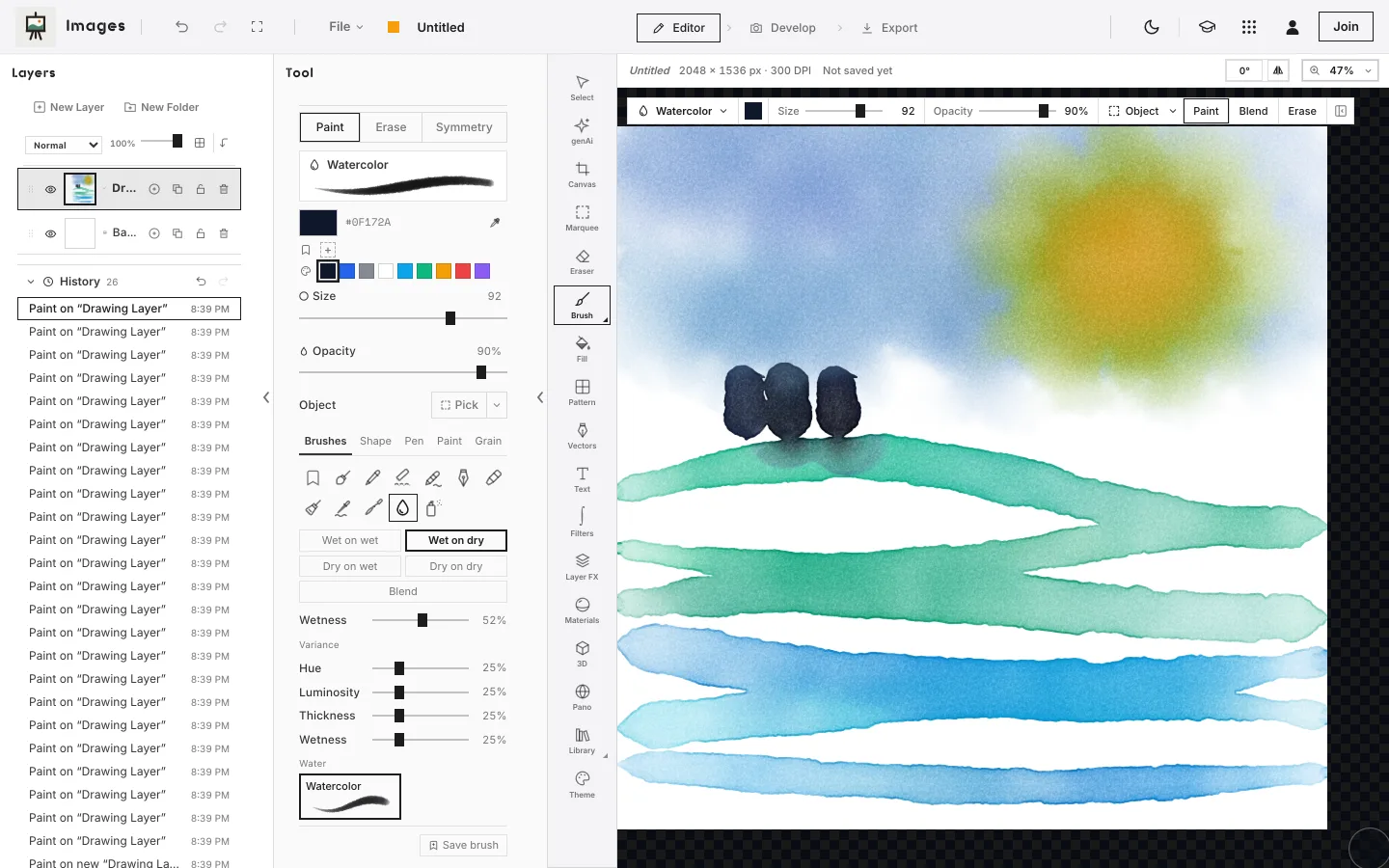
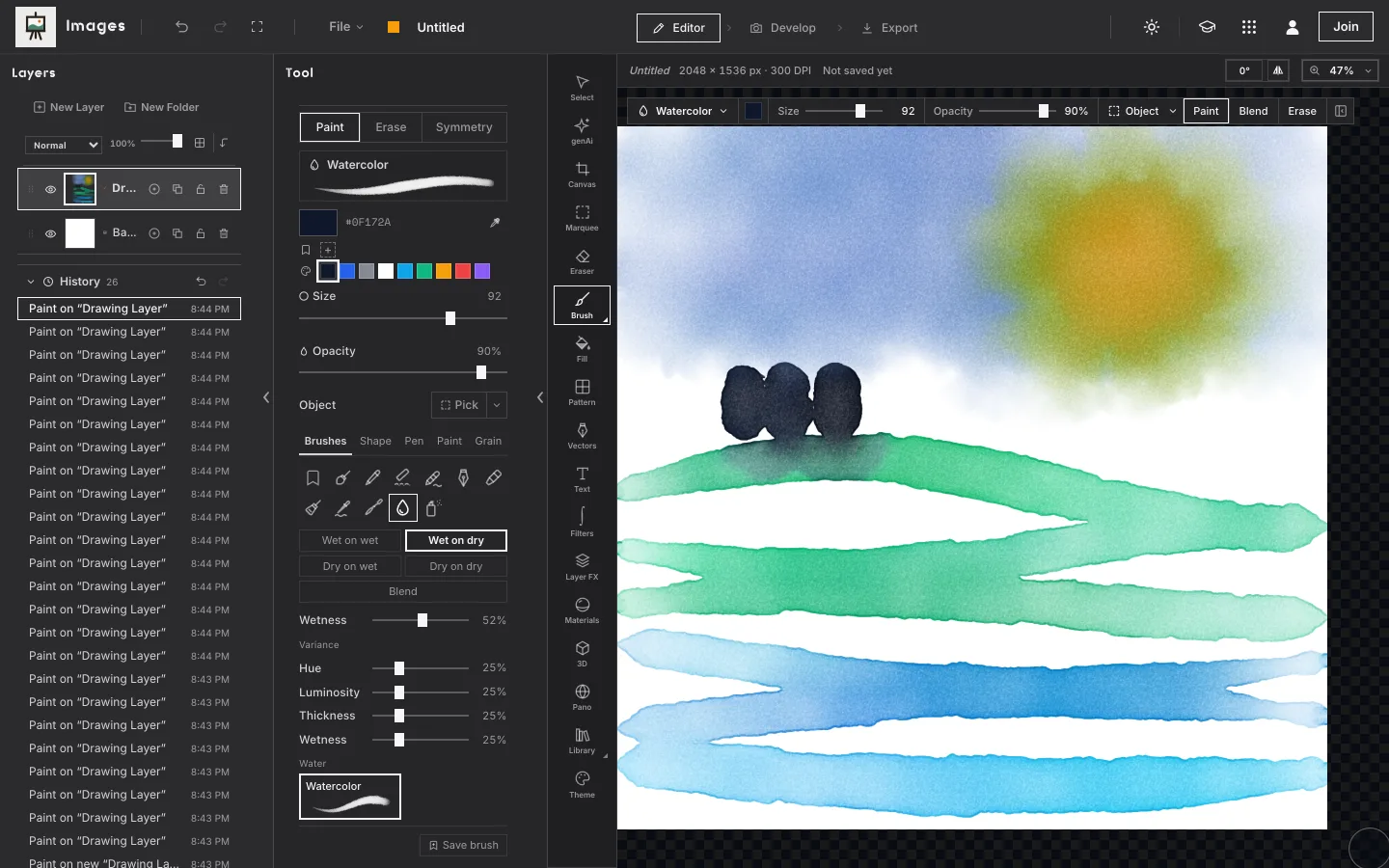
Procreate is made for iPad. Images, Weekend Studio's painting and photo editor, runs in Chrome, so it paints on a Chromebook with pen pressure. No Android app, no Linux, nothing to install. Free, with no account.
Start painting Set up your pen
- Free
- No account
- Runs in Chrome
- Pen pressure
Procreate and Chromebooks, plainly
What Procreate's own site and its App Store listing say, as of November 2026.
Made for iPad
Procreate says it “was made for the iPad”,1 and its App Store listing needs iPadOS 16.3 or later.2
Sold through the App Store
Procreate's site says it comes “Exclusively from the App Store.”1
So, in a browser
Images is a different app, made by Weekend Studio. It isn't Procreate and opens none of its files, but it paints in the browser a Chromebook already has.
Painting on a Chromebook, three ways
Open it in Chrome
Go to the page, choose Start painting, and a canvas opens with a brush in hand. Nothing to download, and your Chromebook's storage stays free.
No Play Store, no Linux
Guides to drawing on a Chromebook often send you to an Android app or to turning on Linux. Images needs neither: it's a web page.
School or work Chromebook
Without an account, your painting is kept in this browser. If your Chromebook clears its data when you sign out, save a copy now and then with File › Save to device….
Your pen on a Chromebook
Set once under File › Preferences › Stylus, and every Weekend Studio app on the Chromebook follows.
Pressure, checked in a second
Images reads pressure whenever the pen reports it to the browser. Draw in the box under the pressure curve: if lines thicken as you press, it does. Then shape the curve, or start from Light, Normal or Firm.
Which stylus
The one your Chromebook works with. Google says some Chromebooks take USI styluses, that Bluetooth styluses don't work with Chromebooks, and that capacitive ones sometimes don't work well.4
Palm, buttons, eraser
A palm resting under the pen is ignored, and fingers pan and zoom once the pen has touched the canvas. On a pen with a side button or an eraser end, the button picks a color, pans or opens the menu, and the eraser end erases.
Where Procreate is the better choice
If you also have an iPad, Procreate does a lot that Images doesn't. Plainly:
- It's made for iPad and Apple Pencil. Pencil's double-tap and squeeze, and Apple Pencil Pro's barrel roll,3 never reach a web page, so Images can't offer them.
- It's installed. It opens like any app on your iPad. Images opens from the web, so it needs a connection to start.
- Animation is built in. Animation Assist does frame-by-frame animation with onion skinning.5 Images doesn't animate.
The whole comparison, feature by feature: Procreate alternative.
What Images does
- Brushes: round, pencils, charcoal and pastel, crayons, inks, pens and markers, paints, palette knives, airbrushes, and blenders that move the paint already there.
- Watercolor that flows: wet on wet, wet on dry, blooms, and colors that mix like pigment. More on the watercolor brush.
- Layers: folders, masks, blend modes, opacity and lock, with selections, filters and text.
- Drawing help: symmetry (mirror, four ways, radial), and guides for perspective, ellipses and parallel lines.
- Time-lapse: each change is recorded on your device, and plays back or saves as a video.
- Files: exports PNG, JPEG, WebP, PSD and a PDF for print; opens a Photoshop file with its layers.
- Photos too: editing photos on a Chromebook instead? Photoshop on a Chromebook.
- More on a Chromebook: every Weekend Studio app and free tool that runs on one, 3D and websites included.
Free, plainly
Images is free. No account and no watermark. Without an account your work is kept in this browser on this Chromebook, so save a copy now and then (File › Save to device…) if it matters to you: clearing the browser's data clears it.
A membership is optional. It adds 100 GB of Cloud storage synced across your devices, sharing and live collaboration, generative AI if you want it, working from your AI assistant (MCP), and posting on Cauchii. What membership adds.
Questions
Is there a Procreate app for Chromebook?
Procreate's own site says it was made for the iPad and is sold only through the App Store, and its listing there needs iPadOS. Images is a different app, made by Weekend Studio, that paints in Chrome on a Chromebook.
Do I need the Play Store or Linux?
No. Images is a web page: open it in Chrome and paint. You don't turn on Linux, and there's no Android app to install.
Does pen pressure work on a Chromebook?
Yes, when the pen reports pressure to the browser. To check yours, open File › Preferences › Stylus and draw in the box under the pressure curve: lines that thicken as you press mean it does.
Which stylus works?
The one your Chromebook works with. Google says some Chromebooks take USI styluses, that Bluetooth styluses don't work with Chromebooks, and that capacitive ones sometimes don't work well.
Is it free?
Yes. Images works with no account, and your painting is kept in your browser on the Chromebook. A paid membership adds cloud storage, sharing, live collaboration and generative AI if you want it.
Does it work offline?
No. Images opens from the web, so it needs a connection to start.
Is Weekend Studio connected to Procreate?
No. Weekend Studio is made by Weekend Industries and has no connection to Procreate or its makers. Procreate is named here only to compare.
Sources
What this page says about Procreate and Chromebooks, and where it comes from. Checked November 25, 2026.
- https://procreate.com/procreate: Procreate: “Procreate was made for the iPad”, “Exclusively from the App Store.”
- https://apps.apple.com/us/app/procreate/id425073498: Procreate on the US App Store: “Requires iPadOS 16.3 or later.”
- https://help.procreate.com/procreate/handbook/interface-gestures/pencil: Procreate Handbook, Apple Pencil: double-tap, squeeze, barrel roll.
- https://support.google.com/chromebook/answer/7073299?hl=en: Chromebook Help, Use a stylus with your Chromebook: no Bluetooth styluses; capacitive ones sometimes don't work well; some Chromebooks take USI styluses.
- https://help.procreate.com/procreate/handbook/animation: Procreate Handbook, Animation Assist: onion skinning, playback, a timeline.
- https://procreate.com/terms-conditions: Procreate terms: Procreate is a registered trademark of Savage Interactive Pty Ltd.
Procreate® is a registered trademark of Savage Interactive Pty Ltd, named here only to compare. Chromebook and ChromeOS are trademarks of Google LLC. Weekend Studio isn't affiliated with, endorsed by or sponsored by Procreate or Google. Seen something out of date? Tell us and we'll fix it.