
Weekend Studio · Images
A free Procreate alternative for Windows, Chromebook and Android
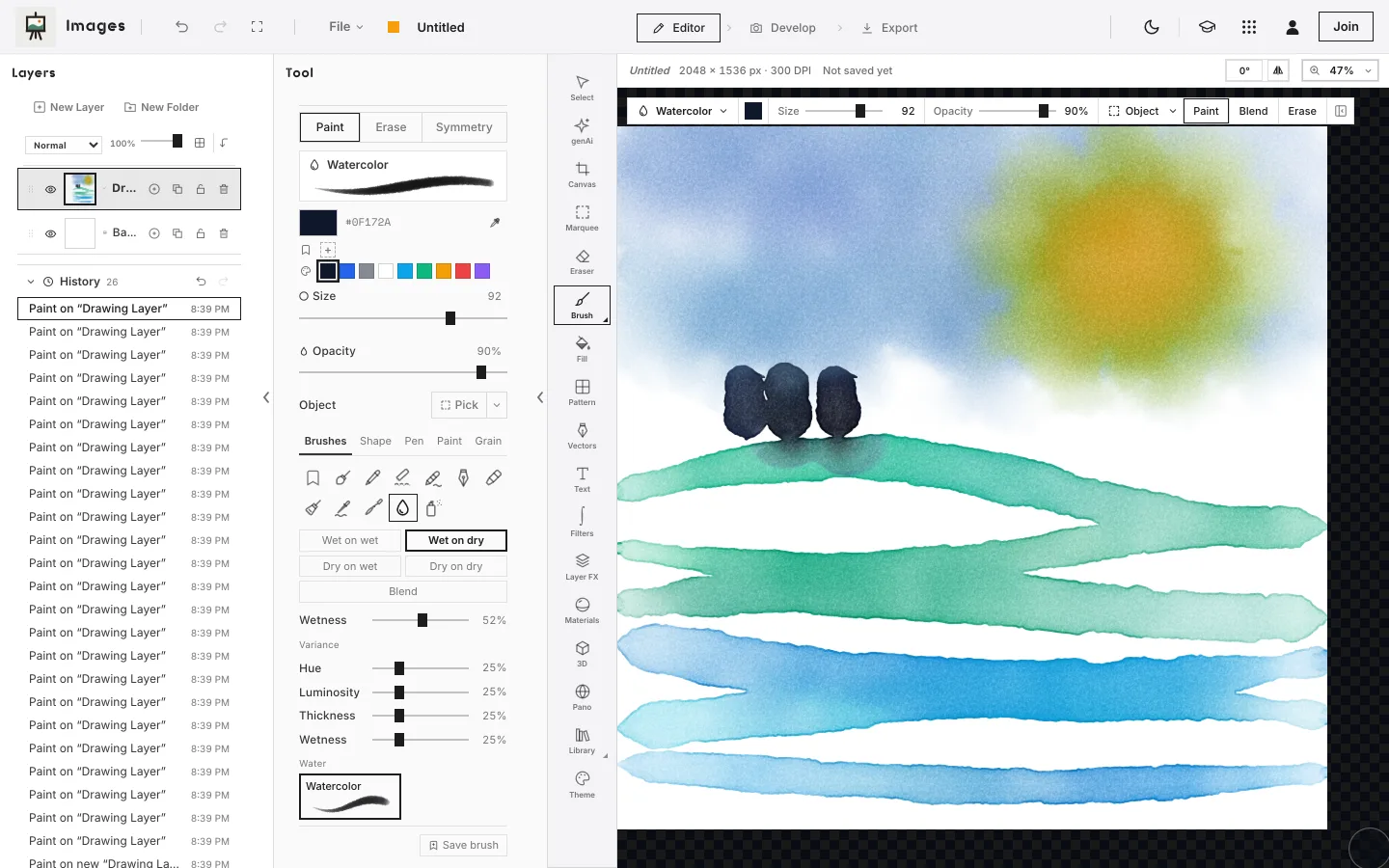
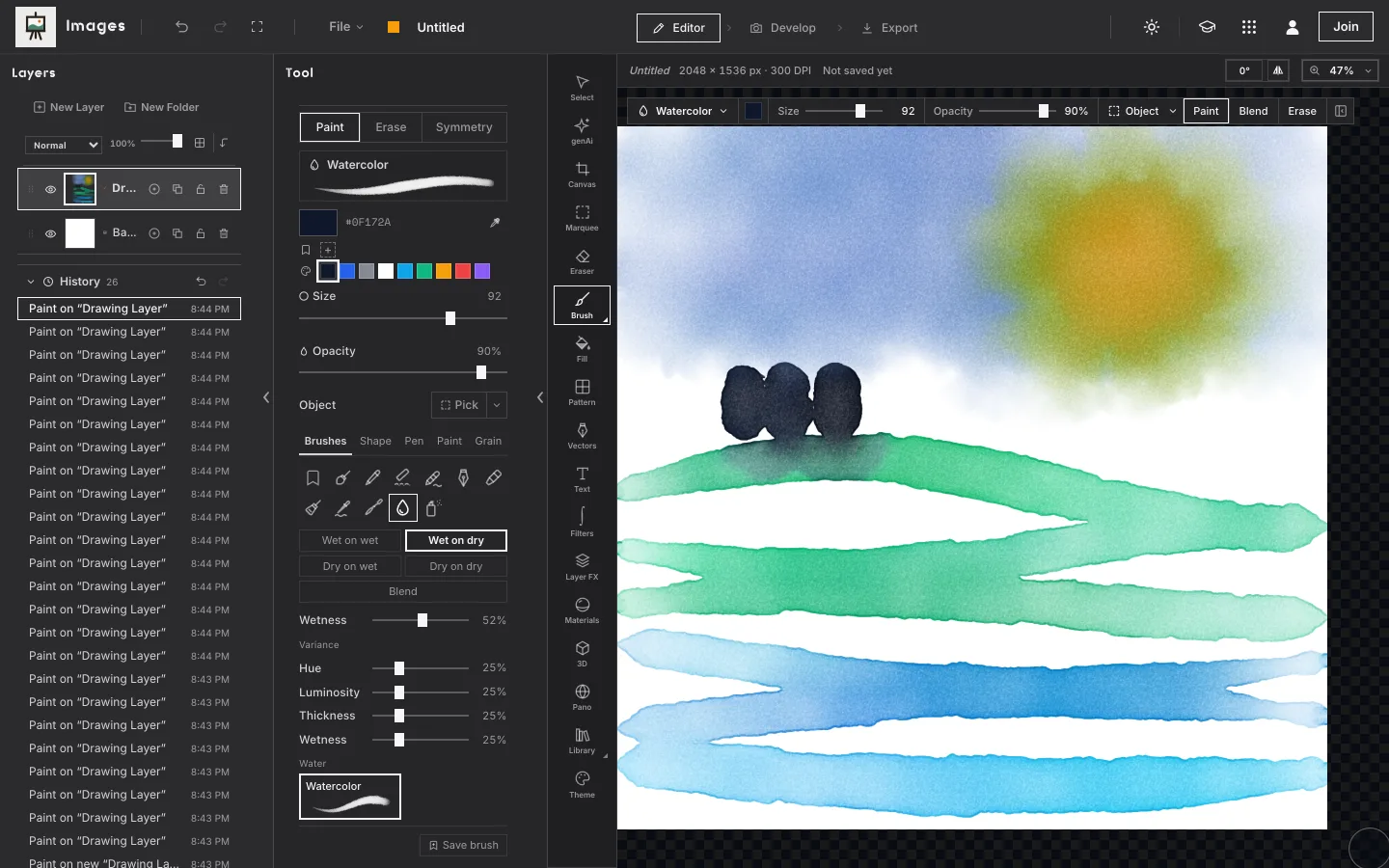
Procreate is made for iPad. Images, Weekend Studio's painting and photo editor, runs in a web browser, so it paints on a Windows laptop, a Chromebook, an Android tablet, a Mac or an iPad, with pen pressure. Free, with no account.
Start painting See the comparison
- Free
- No account
- Any computer or tablet
- Pen pressure and tilt
Who this is for
You draw on a computer
A Windows laptop or a Mac with a pen tablet, or a touchscreen laptop with a pen. Procreate is an iPad app; Images runs in the browser you already have.
You have a Chromebook or an Android tablet
A school Chromebook, a Galaxy Tab. Open the page, start a canvas, paint. Nothing to install.
You switch between devices
Start at a desk, finish on an iPad. Members' work saves to the cloud and opens on any of them; without an account it stays on the device you made it on.
Where Procreate is the better choice
If you have an iPad and paint mostly on it, Procreate does a lot that Images doesn't. Plainly:
- It's an app made for iPad and Apple Pencil. It uses Pencil features a browser can't: double-tap, squeeze and Apple Pencil Pro's barrel roll.10 They never reach a web page, so Images can't offer them.
- It's installed. It comes from the App Store and opens like any app on your iPad.2 Images opens from the web, so it needs a connection to start.
- Animation is built in. Animation Assist does frame-by-frame animation with onion skinning.7 Images doesn't animate.
- It has rejected generative AI outright. In its own words, “AI is not our future.”5 If you want that stance from the company itself, Procreate takes it. Images keeps generative AI off unless you ask for it, and labels anything it makes.
- Over 300 brushes come with it.2 Images can't open Procreate's brush files.
What Images does
- Brushes: round, pencils, charcoal and pastel, crayons, inks, pens and markers, paints, palette knives, airbrushes, and blenders that move the paint already there.
- Watercolor that flows: wet on wet, wet on dry, blooms, and colors that mix like pigment. More on the watercolor brush.
- Layers: folders, masks, blend modes, opacity and lock, with selections, filters and text.
- Drawing help: symmetry (mirror, four ways, radial, with extra centers), and guides for perspective, ellipses and parallel lines.
- Time-lapse: each change is recorded on your device, and plays back or saves as a video.
- Photoshop files: opens a PSD with its layers, folders, masks and blend modes, and saves one back, on a computer or iPad.
- Exports: PNG, JPEG, WebP and PSD, and a PDF for print with bleed and crop marks.
- Photos too: Images is also a photo editor, with Develop's light and color tools as a step in the same window.
Made for a pen, on any device
Set once under File › Preferences › Stylus, and every app on the device follows.
Pressure and tilt
A pressure curve you shape yourself, and tilt you can turn down or off. Apple Pencil on iPad, a pen tablet on a computer, or a pen that reports pressure to the browser.
Your palm stays out of it
A palm resting under the pen is ignored. Fingers can draw, or pan and zoom once a pen has touched the canvas. Two fingers tap to undo, three to redo.
Pen buttons
On a pen tablet, the side button picks a color, pans or opens the menu, and the eraser end erases. Hover shows the brush outline on pens that hover.
Side by side
Procreate's facts are from its own website and App Store listing, as of November 2026.
| Images (Weekend Studio) | Procreate | |
|---|---|---|
| Runs on | A web browser on Windows, ChromeOS, Android, macOS, Linux and iPadOS. Phones too, with a smaller layout. | iPad, with iPadOS 16.3 or later.1,3 Procreate Pocket, a separate app, is for iPhone.4 |
| Install | Nothing to install. Needs a connection to open. | An app from the App Store.2 |
| Apple Pencil | Pressure, tilt, hover. Not double-tap, squeeze or barrel roll (a browser can't receive them). | Apple Pencil, including double-tap, squeeze and barrel roll.10 |
| Other pens | Pen tablets and pens that report pressure to the browser, with button and eraser-end settings. | Apple Pencil on iPad. |
| Layers | Folders, masks, blend modes, opacity, lock. | Groups, layer masks, clipping masks, blend modes.9 |
| Photoshop files | Opens and saves PSD with layers (saving on a computer or iPad). | Imports and exports layered PSD.1,6 |
| Animation | No. | Yes: Animation Assist, frame by frame, with onion skinning.7 |
| Time-lapse | Yes, saved as a video. | Yes: records every step and exports a video.8 |
| Generative AI | Off unless you ask: needs a membership or your own ComfyUI. Anything generated is labeled. | Publicly rejected: “AI is not our future.”5 |
| Saving and export | Kept in your browser on this device, or a .images file you save; members' work saves to the cloud (100 GB). Exports PNG, JPEG, WebP, PSD and PDF. | A .procreate file; exports PSD, PDF, JPEG, PNG and TIFF, and animations as GIF, PNG or MP4.6 |
Free, plainly
Images is free. No account and no watermark. Without an account your work is kept in this browser on this device, so save a copy now and then (File › Save to device…) if it matters to you: clearing the browser's data clears it.
A membership is optional. It adds 100 GB of Cloud storage synced across your devices, sharing and live collaboration, generative AI if you want it, working from your AI assistant (MCP), and posting on Cauchii. Its price shows in your own currency when you choose Log in in the bar above and become a member, and it renews until you cancel. What membership adds.
Questions
Is Images really free?
Yes. Images works in your browser with no account, and your work is kept on your device. A paid membership adds cloud storage, sharing, live collaboration and generative AI if you want it.
Does it work on a Chromebook or an Android tablet?
Yes, in Chrome or another up-to-date browser with WebGL 2. Pen pressure works when the pen reports it to the browser.
Can I open my Procreate files?
Not .procreate files. Export from Procreate as a Photoshop file (PSD) and Images opens it with its layers, folders, masks, blend modes and opacity.
Does it work offline?
No. Images opens from the web, so it needs a connection to start. Without an account, what you paint is kept in your browser on your device.
Does it use AI?
Only if you want it. The brushes simulate paint; nothing is generated. Generative AI is a separate tool that needs a membership or your own ComfyUI, and anything it makes is labeled.
Is Weekend Studio connected to Procreate?
No. Weekend Studio is made by Weekend Industries and has no connection to Procreate or its makers. Procreate is named here only to compare.
Sources
What this page says about Procreate, and where it comes from. Checked November 16, 2026.
- https://apps.apple.com/us/app/procreate/id425073498: Procreate on the US App Store: iPad, “Requires iPadOS 16.3 or later”, PSD import and export.
- https://procreate.com/procreate: Procreate: “Procreate was made for the iPad”, “Exclusively from the App Store.”, “Over 300 handcrafted brushes.”
- https://help.procreate.com/articles/dbgjal-procreate-faq: Procreate FAQ: the iPadOS it needs.
- https://apps.apple.com/us/app/procreate-pocket/id916366645: Procreate Pocket on the US App Store: iPhone.
- https://procreate.com/ai: Procreate on AI: “AI is not our future.”
- https://help.procreate.com/procreate/handbook/actions/actions-share: Procreate Handbook, Share: .procreate, PSD, PDF, JPEG, PNG, TIFF; GIF, PNG and MP4 animations.
- https://help.procreate.com/procreate/handbook/animation: Procreate Handbook, Animation Assist: onion skinning, playback, a timeline.
- https://help.procreate.com/procreate/handbook/actions/actions-video: Procreate Handbook, Video: time-lapse recording and export.
- https://help.procreate.com/procreate/handbook/layers: Procreate Handbook, Layers: blend modes; masks and clipping masks (layers-mask); groups (layers-organize).
- https://help.procreate.com/procreate/handbook/interface-gestures/pencil: Procreate Handbook, Apple Pencil: double-tap, squeeze, barrel roll.
- https://procreate.com/terms-conditions: Procreate terms: Procreate is a registered trademark of Savage Interactive Pty Ltd.
Procreate® is a registered trademark of Savage Interactive Pty Ltd, named here only to compare. Weekend Studio isn't affiliated with, endorsed by or sponsored by Procreate. Seen something out of date? Tell us and we'll fix it.