
Weekend Studio · Images
A free photo editor for your Chromebook, with no download
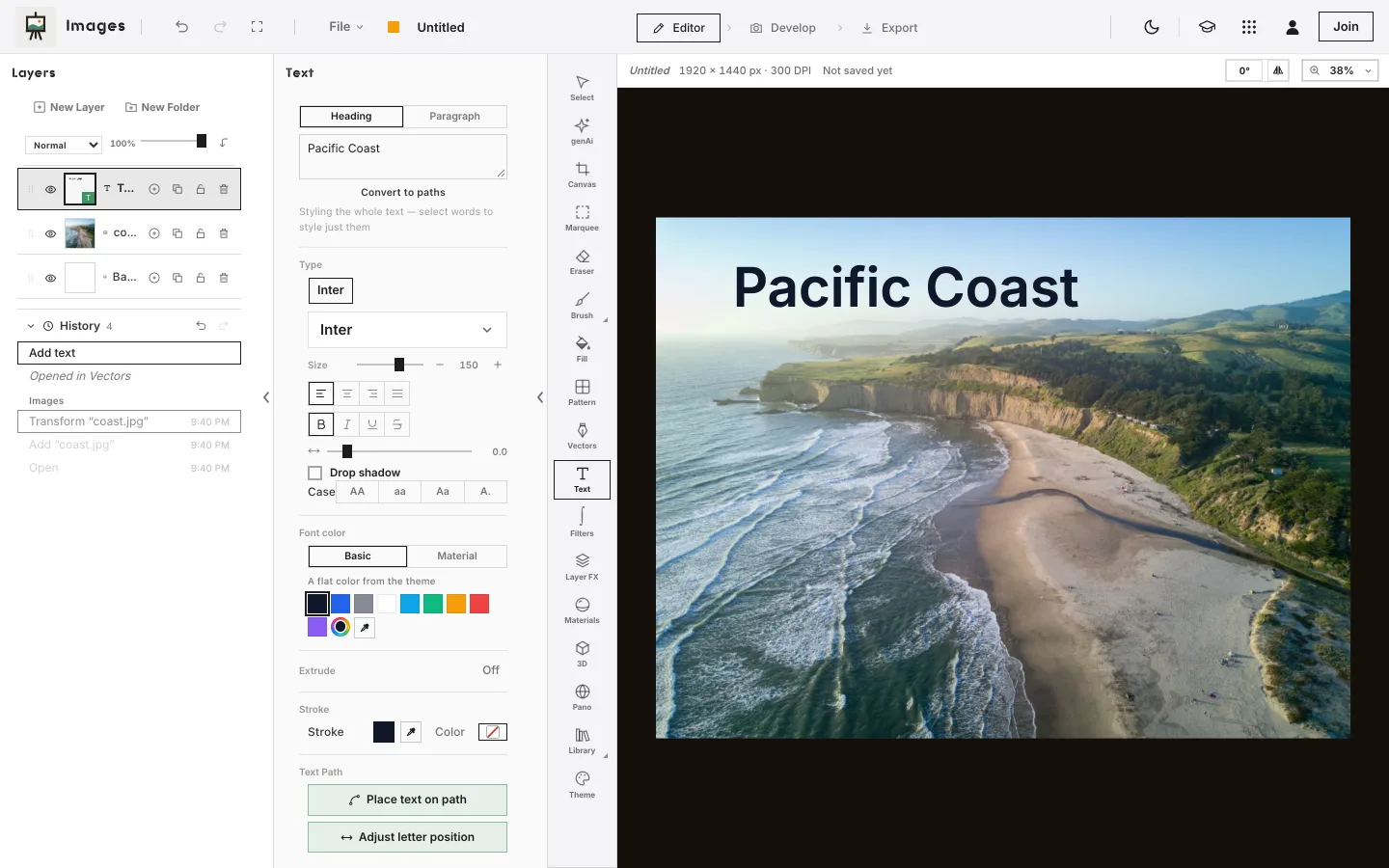
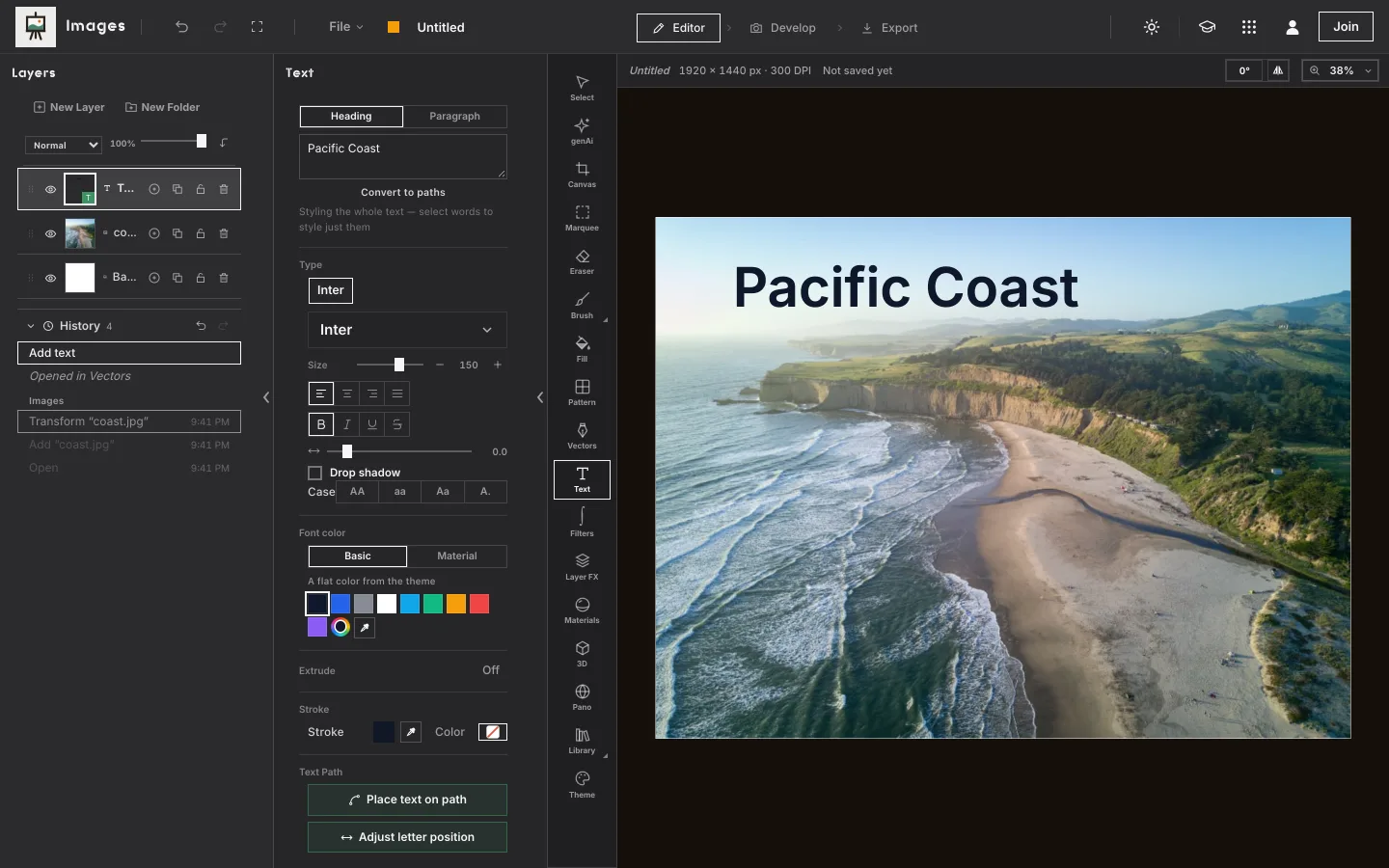
Images, Weekend Studio's photo editor and painting app, runs in Chrome on a Chromebook: layers, masks, selections, curves and color, and Photoshop files in and out. Develop edits raw photos beside it. Nothing to download, no Linux, no account.
- Free
- No download
- No account
- Opens and saves PSD
Why a photo editor in Chrome
What the makers' own pages say, as of November 2026.
Desktop editors
Photoshop on desktop is for Windows and macOS.1 Adobe's Photoshop on the web does list ChromeOS 102 and later.2
Linux editors
A Chromebook runs them once Linux is turned on. Google says it's off by default and can't use the graphics chip yet.3
Images and Develop
Web pages: open them in Chrome and edit. Without an account, your photos stay in your browser on the Chromebook.
What Images does
- Layers: folders, sixteen blend modes, opacity, alpha lock and masks that hide without erasing.
- Selections: box, circle, lasso, paint, a magic wand by color or brightness, and Object: click a subject and Images finds its edges.
- Color and light: exposure, curves, levels, HSL, color wheels and a channel mixer on any layer.
- Retouching: clone, retouch and liquify, and layer effects that stay live.
- Photoshop files: opens a PSD with its layers, folders, masks and blend modes, and saves one back.
Raw photos in Develop
- Raw files: CR2, NEF, ARW, DNG and more, plus HEIC, JPEG, PNG and WebP.
- Light and color: exposure, curve, levels and detail; HSL, color wheels; denoise; looks and LUTs.
- Optics and crop: lens corrections from lens profiles, Upright, straightening, and crops with any ratio.
- Coming from Lightroom? Lightroom on a Chromebook. From Photoshop? Photoshop on a Chromebook.
Quick photo jobs, on their own page
HEIC to JPG
Turn iPhone HEIC photos into JPG, PNG or WebP, on your device.
Remove Background
Cut the subject out of a pile of pictures, clear or on a color, on your device.
Batch resize images
Resize a whole batch by long edge, width, height or percent, and save as JPEG, PNG or WebP.
Resize for Instagram
Frame one photo as a feed post, a story and a square at once.
Photo Markup
Mark up a photo or screenshot: arrows, text, steps, a pen. Then share it.
Everything else
Every Weekend Studio app and free tool that runs on a Chromebook.
Questions
Is there a free photo editor for Chromebook with no download?
Yes. Images and Develop are web pages: open them in Chrome and edit, with nothing to download and no account.
Can I edit iPhone photos on a Chromebook?
Yes. Develop opens HEIC photos, and HEIC to JPG turns a batch of them into JPG, PNG or WebP on the Chromebook.
What about Photoshop?
Adobe's Photoshop on the web lists ChromeOS 102 and later. Images is a free alternative that opens and saves Photoshop files.
Is my photo uploaded?
No. Without an account, your photos and edits are kept in your browser on the Chromebook. Members can save to Cloud.
Does it work offline?
No. It opens from the web, so it needs a connection to start.
Sources
What this page says about other apps and Chromebooks, and where it comes from. Checked November 25, 2026.
- https://helpx.adobe.com/photoshop/desktop/get-started/technical-requirements-installation/adobe-photoshop-on-desktop-technical-requirements.html: Photoshop on desktop, requirements: Windows and macOS.
- https://helpx.adobe.com/photoshop/web/get-set-up/learn-the-basics/technical-requirements.html: Photoshop on the web, requirements: ChromeOS 102 and later.
- https://support.google.com/chromebook/answer/9145439?hl=en: Chromebook Help, Set up Linux on your Chromebook: off by default; no hardware acceleration yet, including GPU.
Adobe and Photoshop are either registered trademarks or trademarks of Adobe in the United States and/or other countries, named here only to compare. Chromebook and ChromeOS are trademarks of Google LLC. Weekend Studio isn't affiliated with, endorsed by or sponsored by Adobe or Google. Seen something out of date? Tell us and we'll fix it.