
Weekend Studio · Develop
Lightroom on a Chromebook? Edit raw photos in Chrome
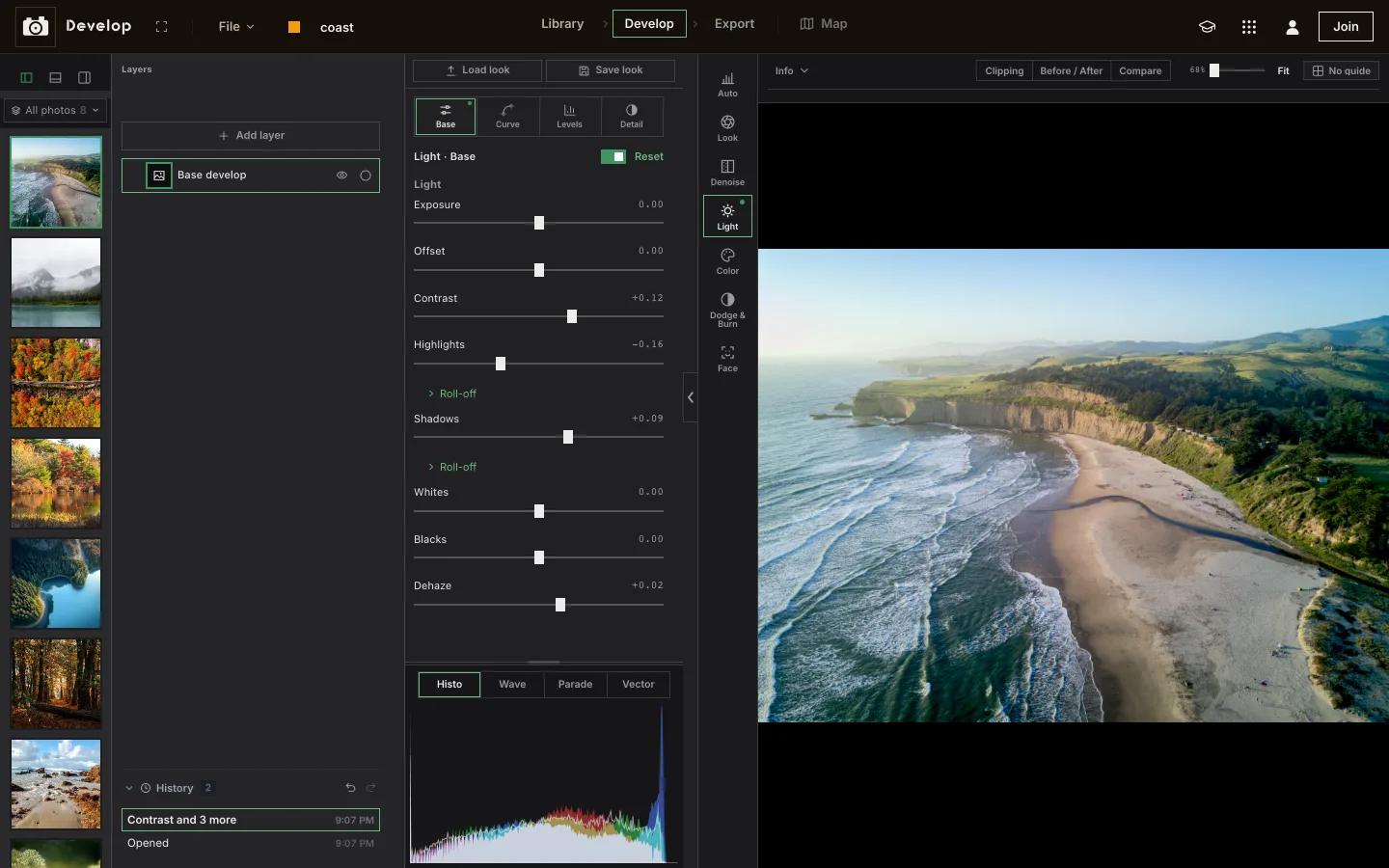
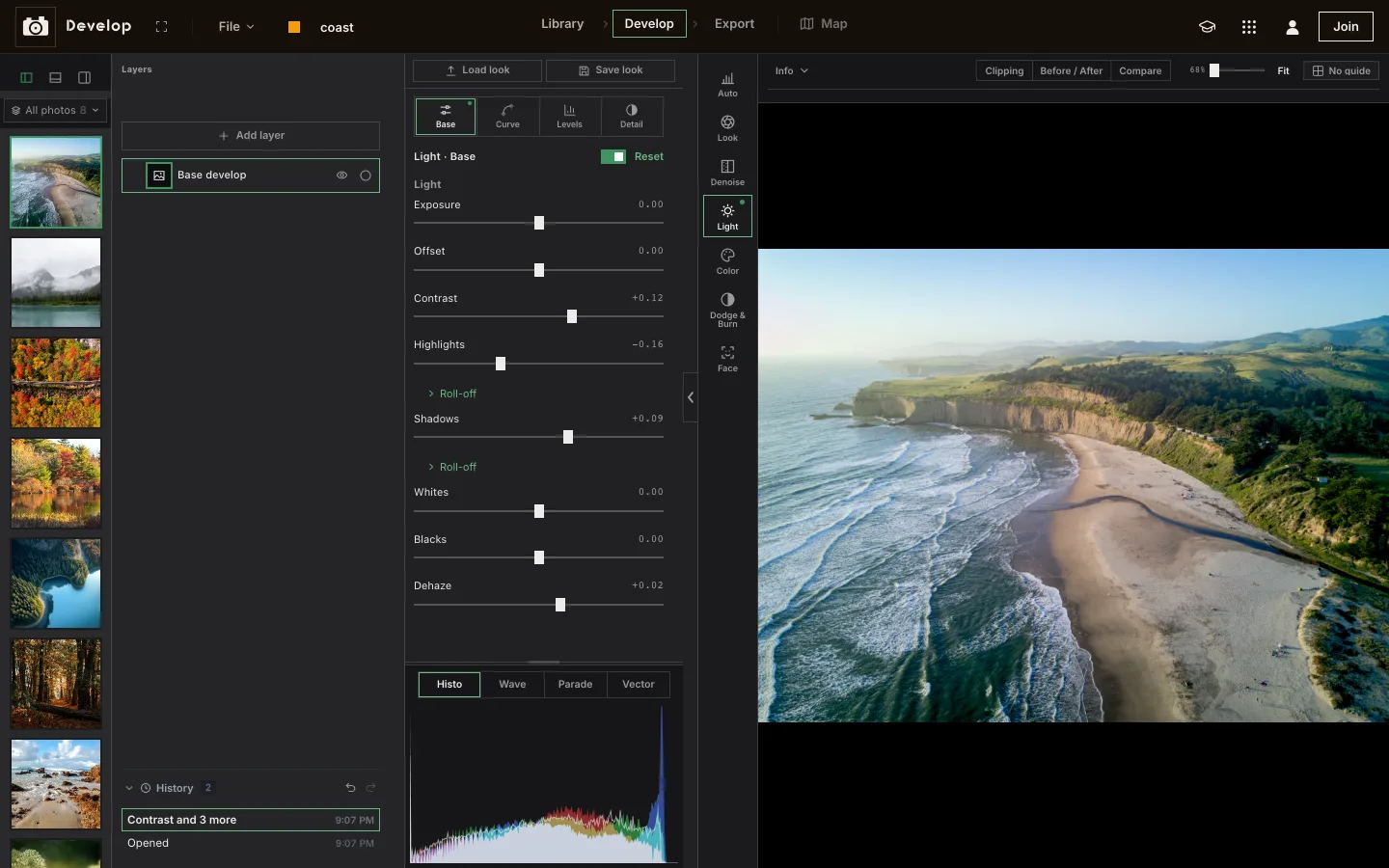
Adobe's requirements for Lightroom on the web list Windows and macOS. Develop, Weekend Studio's raw photo editor, runs in Chrome on a Chromebook: raw files from your camera, light and color, masks and lens corrections, then a finished JPEG. Free, with no account.
- Free
- No account
- Runs in Chrome
- Raw files
Lightroom and Chromebooks, plainly
What Adobe's own help says, as of November 2026.
On the web: Windows and macOS
Adobe's requirements for Lightroom on the web list “Windows 11 (64-bit) and later” and “macOS 14 and later”; ChromeOS isn't listed.1
Lightroom Classic: Windows and macOS
Its requirements list Windows 11 and macOS 15 or later.2
Develop: a web page
Runs in Chrome on a Chromebook, with nothing to install and no account.
Where Lightroom is the better choice
If you manage a large photo library, Lightroom Classic does a lot that Develop doesn't. Plainly:
- Shooting tethered. It imports straight from a camera connected to the computer.3
- More masks. Its Masking tool picks subjects, skies and more on its own.4
The whole comparison, feature by feature: Lightroom alternative.
What Develop does
- Raw files: CR2, NEF, ARW, DNG and more, plus HEIC, JPEG, PNG and WebP.
- Light and color: exposure, curve, levels and detail; HSL, color wheels and a channel mixer; denoise; looks and LUTs.
- Masks and layers: color and effects layers through masks made by Object (click a subject), brush, color or brightness.
- Optics and crop: lens corrections from lens profiles, Upright, straightening, and crops with any ratio.
- Export: several crops at once, each with its own format, size and ratio, and batch export of a selection.
- One photo, fast: the RAW photo editor opens a single raw on a page of its own.
- More on a Chromebook: every Weekend Studio app and free tool that runs on one.
Questions
Can you use Lightroom on a Chromebook?
Adobe's requirements for Lightroom on the web list Windows 11 and macOS 14 as its systems; ChromeOS isn't listed. Develop is a different app, made by Weekend Studio, that edits raw photos in Chrome on a Chromebook.
Can I edit raw photos on a Chromebook?
Yes. Develop opens CR2, NEF, ARW, DNG and more in Chrome, plus HEIC, JPEG, PNG and WebP, and saves a finished JPEG.
What do I lose without an account?
Albums and folders aren't available, ratings and flags last only while the page is open, and deleting a photo removes it for good. Editing and exporting work fully.
Is it free?
Yes. Develop works with no account. A paid membership adds a synced library in the cloud, sharing and live collaboration.
Is Weekend Studio connected to Lightroom?
No. Weekend Studio is made by Weekend Industries and has no connection to Lightroom or Adobe. Lightroom is named here only to compare.
Sources
What this page says about Lightroom, and where it comes from. Checked November 25, 2026.
- https://helpx.adobe.com/lightroom/web/get-set-up/learn-the-basics/technical-requirements.html: Lightroom on the web, technical requirements: Windows 11 (64-bit) and later, macOS 14 and later.
- https://helpx.adobe.com/lightroom-classic/desktop/introduction-to-lightroom-classic/system-requirements.html: Lightroom Classic technical requirements: Windows 11 (24H2 or later), macOS 15 or later.
- https://helpx.adobe.com/lightroom-classic/desktop/import-photos/import-photos-tethered-camera.html: Lightroom Classic help, importing photos from a tethered camera.
- https://helpx.adobe.com/lightroom-classic/desktop/process-and-develop-photos/masking.html: Lightroom Classic help, the Masking tool.
Adobe and Lightroom are either registered trademarks or trademarks of Adobe in the United States and/or other countries, named here only to compare. Chromebook and ChromeOS are trademarks of Google LLC. Weekend Studio isn't affiliated with, endorsed by or sponsored by Adobe or Google. Seen something out of date? Tell us and we'll fix it.