
Weekend Studio · Develop
A free Lightroom alternative in your browser
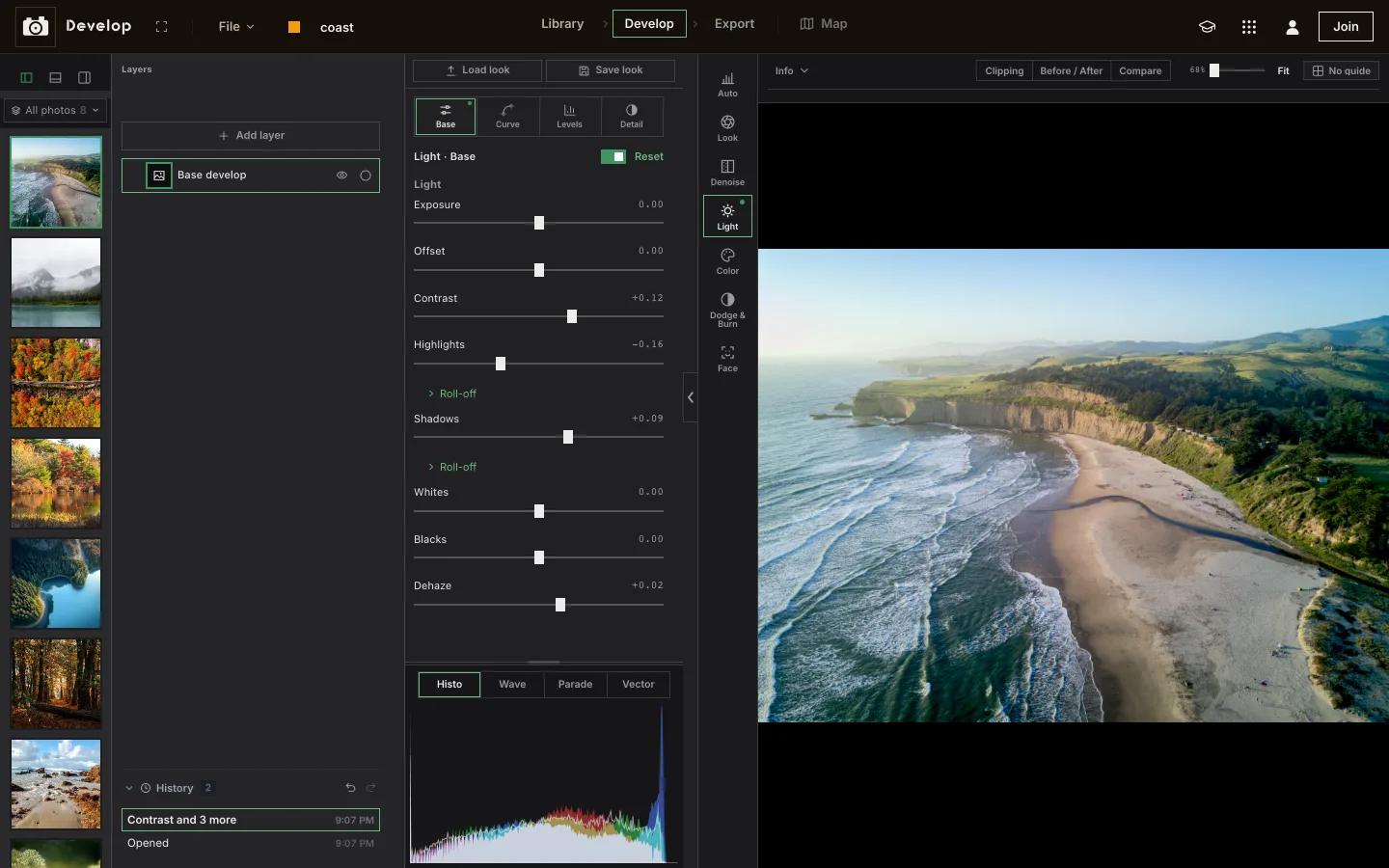
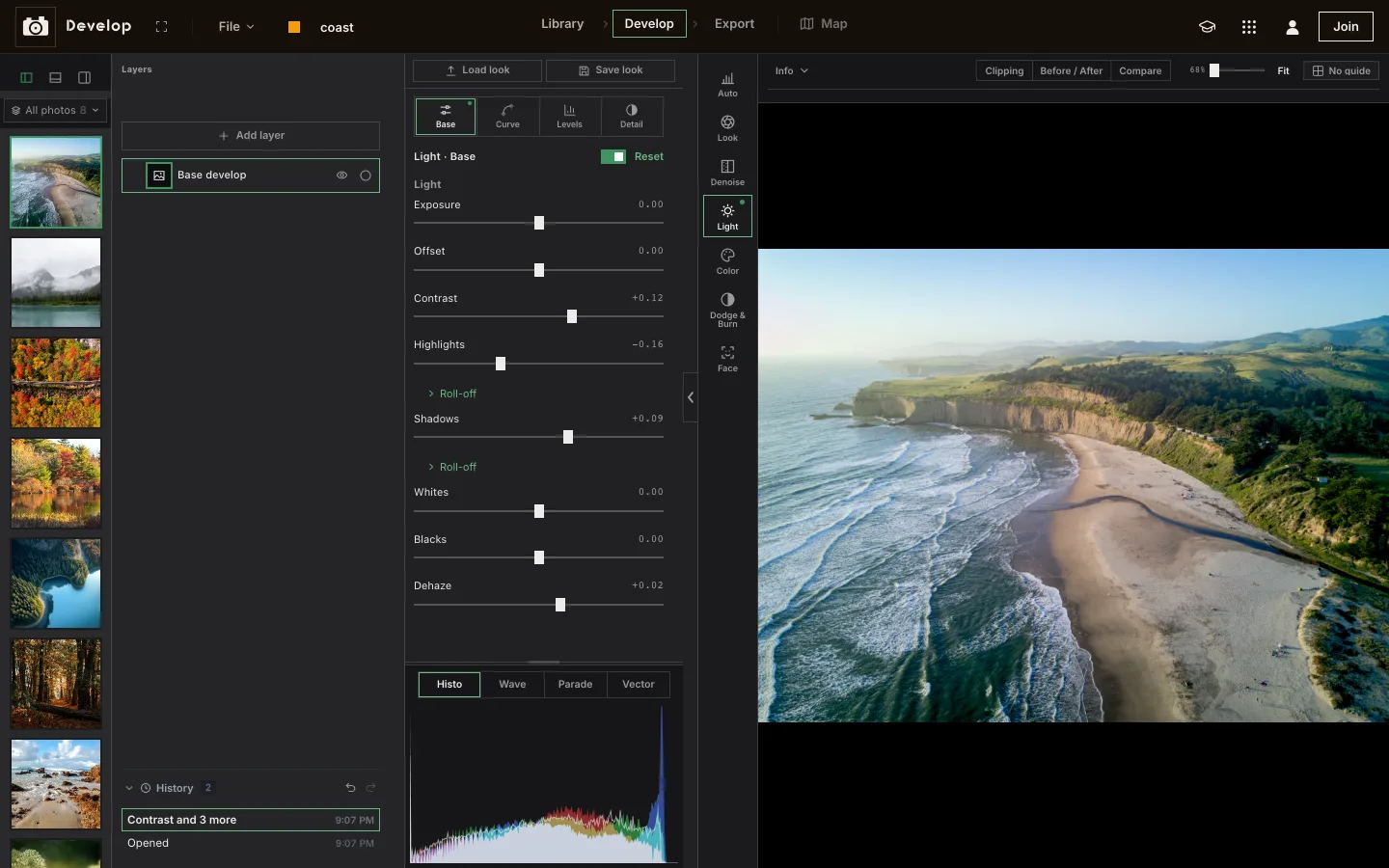
Develop, Weekend Studio's photo app, opens raw files and JPEGs, sorts them in a library and develops them with curves, color, masks and lens corrections, in a web browser. Free, with no account.
Open Develop See the comparison
- Free
- No account
- Raw files
- Any computer or tablet
Who this is for
You shoot raw and edit on a Chromebook
Or a work laptop you can't install on. Bring the raw files in and develop them in a browser tab.
You want to try raw before committing to anything
Open a few files, see what's in them, export what you like. No account to make.
You edit on a phone or iPad too
Develop is laid out for one hand on a phone, and the same on an iPad as on a computer.
Where Lightroom is the better choice
If you manage a large photo library across devices, Adobe Lightroom and Lightroom Classic do a lot that Develop doesn't. Plainly:
- A catalog. Lightroom Classic keeps a catalog,1 with keywords2 and collections, smart ones too.3
- Sync across devices. Edits stay current on mobile, desktop and web.4 Develop syncs only for members, through Cloud.
- Shooting tethered. Lightroom Classic imports straight from supported Canon, Fujifilm, Nikon and Sony cameras.5
- More masks. Subject, Sky, Background, Landscape, Objects and People masks.6
- Generative Remove, powered by Adobe Firefly,7 for taking distractions out. Develop has no generative AI tool.
- Presets and plug-ins. Built-in presets and your own library of them,8 and plug-ins in Lightroom Classic.9
What Develop does
- Raw files: CR2, NEF, ARW, DNG and more, plus HEIC, JPEG, PNG and WebP. The first time a raw opens, Develop matches the camera's own rendering as a starting profile you can clear.
- Light and color: exposure, curve, levels and detail; HSL, color wheels and a channel mixer; denoise; looks and LUTs (import a .cube, or make one from a picture).
- Masks and layers: color and effects layers through masks made by Object (click a subject), brush, color or brightness, with blend modes and opacity. Face finds skin, eyes, lips and teeth on its own.
- Optics and crop: lens corrections from lens profiles, Upright, straightening, and crops with any ratio.
- Library: ratings, picks and rejects, search by camera, place or keyword, filters, a map of where photos were taken.
- Export: several crops at once, each with its own format, size and ratio, presets for where you post, and batch export of a selection.
- Camera provenance: a photo straight from the camera reads Human made; one saved by another editor reads Possible AI.
Without an account, plainly
Develop works signed out, with a few limits worth knowing before you bring in a whole shoot.
Your library lives in this browser
On this device only. Clearing the browser's data clears it, so keep your originals. Photos you add before joining move into your Cloud library when you sign in as a member.
No albums or folders
Albums, folders and smart albums are for members. Ratings and flags last only while the page is open, and deleting a photo removes it for good.
Exports go to your device
Every export downloads to this device: several files arrive as one zip. Members can also export to Cloud and post on Cauchii.
Side by side
Lightroom's facts are from its own website and help pages, as of November 2026.
| Develop (Weekend Studio) | Lightroom | |
|---|---|---|
| Runs on | A web browser on Windows, ChromeOS, Android, macOS, Linux and iPadOS, and phones with their own layout. | Lightroom on mobile, desktop and web, plus Lightroom Classic.8 |
| Raw files | CR2, NEF, ARW, DNG and more. | Imports raw in Lightroom and Lightroom Classic.10 |
| Masks | Object, brush, color and brightness, plus Face. | Subject, Sky, Background, Landscape, Objects, People.6 |
| Noise and lenses | Denoise; lens corrections from lens profiles; Upright. | Denoise;11 profile-based lens corrections.12 |
| Library | Ratings, flags, search, map. Albums and folders for members. | Catalog, keywords, collections and smart collections (Classic).1,2,3 |
| Generative AI | No generative AI tool in Develop. | Generative Remove, powered by Adobe Firefly.7 |
Free, plainly
Develop is free. No account and no watermark on exports. Without an account your library is kept in this browser on this device.
A membership is optional. It adds 100 GB of Cloud storage synced across your devices, sharing and live collaboration, generative AI if you want it, working from your AI assistant (MCP), and posting on Cauchii. Its price shows in your own currency when you choose Log in in the bar above and become a member, and it renews until you cancel. What membership adds.
Questions
Is Develop really free?
Yes. Develop works in your browser with no account, and your library is kept on your device. A paid membership adds a Cloud library with albums, folders, sharing and a Trash.
Which raw files does it open?
CR2, NEF, ARW, DNG and more, along with JPEG, PNG, WebP and HEIC, all the same way.
Can I bring my Lightroom edits?
No. Develop opens the photos themselves, not a Lightroom catalog or its edits. It does import .cube LUTs.
Does it work offline?
No. Develop opens from the web, so it needs a connection to start.
Does it use AI?
Develop has no generative AI tool. Object masks and Face find parts of a photo on your device; they generate nothing.
Is Weekend Studio connected to Lightroom?
No. Weekend Studio is made by Weekend Industries and has no connection to Lightroom or Adobe. Lightroom is named here only to compare.
Sources
What this page says about Lightroom, and where it comes from. Checked November 16, 2026.
- https://helpx.adobe.com/lightroom-classic/desktop/manage-catalogs-and-files/lightroom-catalog-basics.html: Lightroom Classic help, catalog basics.
- https://helpx.adobe.com/lightroom-classic/desktop/organize-photos-in-lightroom-classic/keywords.html: Lightroom Classic help, keywords.
- https://helpx.adobe.com/lightroom-classic/desktop/organize-photos-in-lightroom-classic/photo-collections.html: Lightroom Classic help, collections and smart collections.
- https://helpx.adobe.com/lightroom/mobile/get-started/manage-cloud-storage-and-sync.html: Lightroom help, sync: mobile, desktop and web.
- https://helpx.adobe.com/lightroom-classic/desktop/import-photos/import-photos-tethered-camera.html: Lightroom Classic help, tethered capture: supported Canon, Fujifilm, Nikon and Sony cameras.
- https://helpx.adobe.com/lightroom-classic/desktop/process-and-develop-photos/masking.html: Lightroom Classic help, masking: Subject, Sky, Background, Landscape, Objects, People.
- https://helpx.adobe.com/lightroom-classic/desktop/process-and-develop-photos/remove-tool.html: Lightroom Classic help, Generative Remove, powered by Adobe Firefly.
- https://www.adobe.com/products/photoshop-lightroom.html: Adobe Lightroom: mobile, desktop and web, plus Lightroom Classic; built-in and custom presets.
- https://helpx.adobe.com/lightroom-classic/desktop/export-photos/export-presets-settings-plug-ins.html: Lightroom Classic help, the Plug-in Manager.
- https://helpx.adobe.com/lightroom-classic/desktop/kb/lightroom-feature-comparison.html: Adobe: Lightroom Classic and Lightroom compared; both import raw.
- https://helpx.adobe.com/lightroom-classic/desktop/process-and-develop-photos/enhance-details.html: Lightroom Classic help, Denoise.
- https://helpx.adobe.com/lightroom-classic/desktop/process-and-develop-photos/retouch-photos.html: Lightroom Classic help, profile corrections.
Adobe, Illustrator, Lightroom, and Photoshop are either registered trademarks or trademarks of Adobe in the United States and/or other countries, named here only to compare. Weekend Studio isn't affiliated with, endorsed by or sponsored by Adobe. Seen something out of date? Tell us and we'll fix it.