
Weekend Studio · 3D
Blender on a Chromebook? 3D modeling in Chrome instead
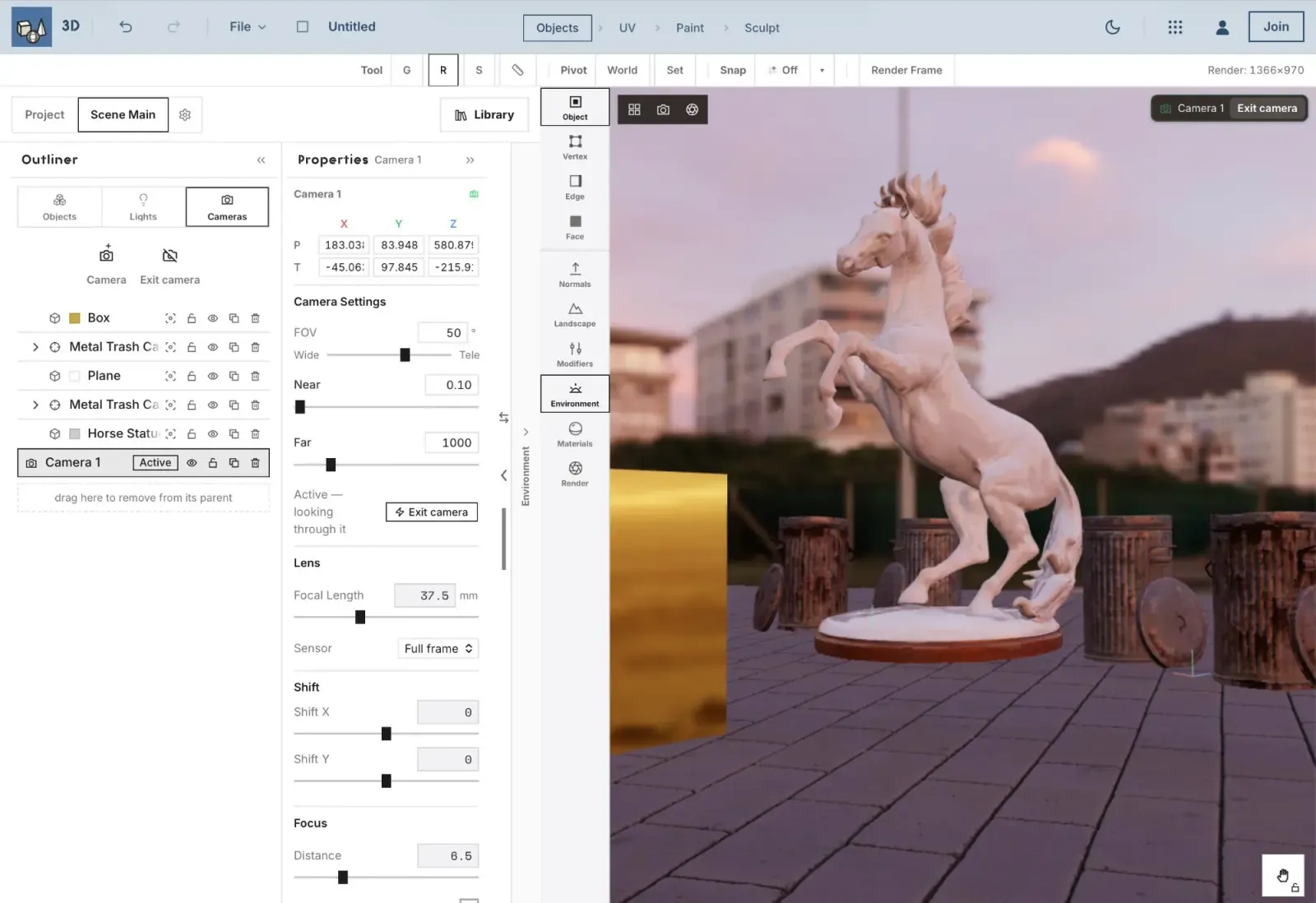
Blender is made for Windows, macOS and Linux, so on a Chromebook it means turning on Linux, which Google says can't use the graphics chip yet. Weekend Studio's 3D runs in Chrome on the Chromebook's own graphics: model, sculpt, paint materials and render, with nothing to install and no account.
Open 3D What runs on a Chromebook
- Free
- No account
- Runs in Chrome
- No Linux
Blender and Chromebooks, plainly
What Blender's manual and Google's Chromebook help say, as of November 2026.
Windows, macOS and Linux
Blender's manual says it “is available for download on Windows, macOS, and Linux.”1 A Chromebook runs it in its Linux development environment.
Linux is off by default
Google says you turn it on in Settings, setup “can take 10 minutes or more”, and on a work or school Chromebook you might not be able to use it.3
No graphics acceleration there
Google lists what Linux on a Chromebook doesn't support yet: “Hardware acceleration isn't yet supported, including GPU and video decode.”3 3D in Chrome draws with the graphics chip through the browser instead.
What runs on a Chromebook, honestly
From 3D's own rules for a Chromebook, as the app decides them.
Works on any Chromebook
Modeling points, edges and faces; sculpting; materials, procedural materials and landscapes; the Lit, Clay and Wireframe views; opening, converting and exporting files.
Turned down on a small one
With four processor cores or fewer, or 4 GB of memory or less: smaller shadow maps and no screen-space reflections. Your scene isn't changed: a faster machine draws it all.
No WeekendRENDER
The path tracer isn't offered on a Chromebook: its graphics can't keep up with it. Every other view works, and a scene made elsewhere opens in them.
Sculpting works on any of them, and its Detail brush paints fine relief such as pores or bark without adding a single polygon.
Where Blender is the better choice
If you have a Windows, Mac or Linux computer as well, Blender is worth knowing. Plainly:
What 3D does
- Modeling: shapes and splines, point, edge and face editing, modifiers, cloners and roads.
- Sculpt, UV and Paint: brushes for shape, a texture layout, and painting a mesh's material in layers.
- Materials and worlds: procedural materials, building facades, landscapes, skies, water and clouds.
- Light: Lit, Clay, Wireframe and styled views. On other computers, WeekendRENDER traces real light, to a picture or a turntable video.
- Files: imports GLB, glTF, FBX and OBJ; exports those, USDZ, and STL or 3MF with a print check first.
Smaller 3D jobs, on their own page
Free tools that run in Chrome, nothing uploaded.
3D file converter
Open FBX, OBJ, STL, GLB, glTF, USDZ and more, set the up axis, units and pivot, and save as another format.
GLB viewer and STL viewer
See a model lit, as clay or as a wireframe, with its triangle count and real size. GLB to STL makes one ready to print.
PBR Texture Generator
A full PBR set from one photo or a procedural: base color, height, normal, roughness, AO and metalness.
Questions
Can you run Blender on a Chromebook?
Blender is made for Windows, macOS and Linux, so on a Chromebook it means turning on Linux. Google says Linux there is off by default, may not be allowed on a school or work Chromebook, and doesn't yet support hardware acceleration, including the GPU.
Do I need Linux for 3D?
Not for Weekend Studio's 3D. It's a web page: open it in Chrome and it draws with the Chromebook's own graphics through the browser.
Will it run on a cheap Chromebook?
Modeling, sculpting, materials and converting files, yes. On a Chromebook with four cores or fewer, or 4 GB of memory or less, 3D also turns off its heaviest extras. The path tracer, WeekendRENDER, isn't offered on any Chromebook.
Can I open Blender files?
Not .blend files. Export from Blender as GLB, glTF, FBX or OBJ and 3D imports it; 3D exports those too, and STL or 3MF for printing.
Is it free?
Yes. 3D works with no account, and your projects are kept in your browser on the Chromebook. A paid membership adds cloud storage, sharing and live collaboration.
Is Weekend Studio connected to Blender?
No. Weekend Studio is made by Weekend Industries and has no connection to Blender or the Blender Foundation. Blender is named here only to compare.
Sources
What this page says about Blender and Chromebooks, and where it comes from. Checked November 25, 2026.
- https://docs.blender.org/manual/en/latest/getting_started/installing/index.html: Blender Manual, Installing Blender: Windows, macOS and Linux; no internet connection required.
- https://docs.blender.org/manual/en/latest/getting_started/about/history.html: Blender Manual, Blender's History: the non-profit Blender Foundation, open source, a global community.
- https://support.google.com/chromebook/answer/9145439?hl=en: Chromebook Help, Set up Linux on your Chromebook: off by default; setup 10 minutes or more; may be unavailable at work or school; no hardware acceleration yet, including GPU.
Blender is named here only to compare. Chromebook and ChromeOS are trademarks of Google LLC. Weekend Studio isn't affiliated with, endorsed by or sponsored by the Blender Foundation or Google. Seen something out of date? Tell us and we'll fix it.