
Weekend Studio · Doc
A free presentation maker in your browser
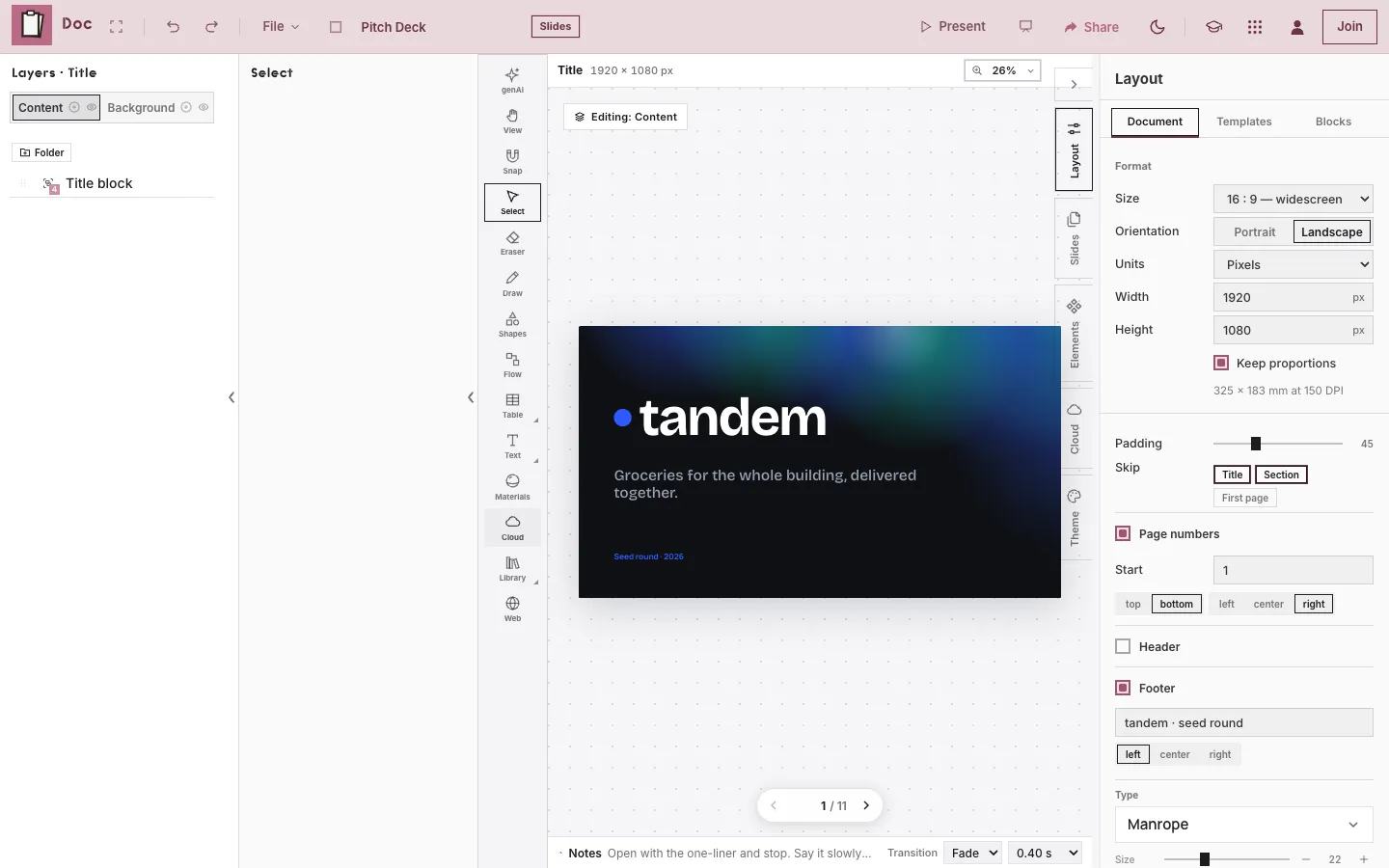
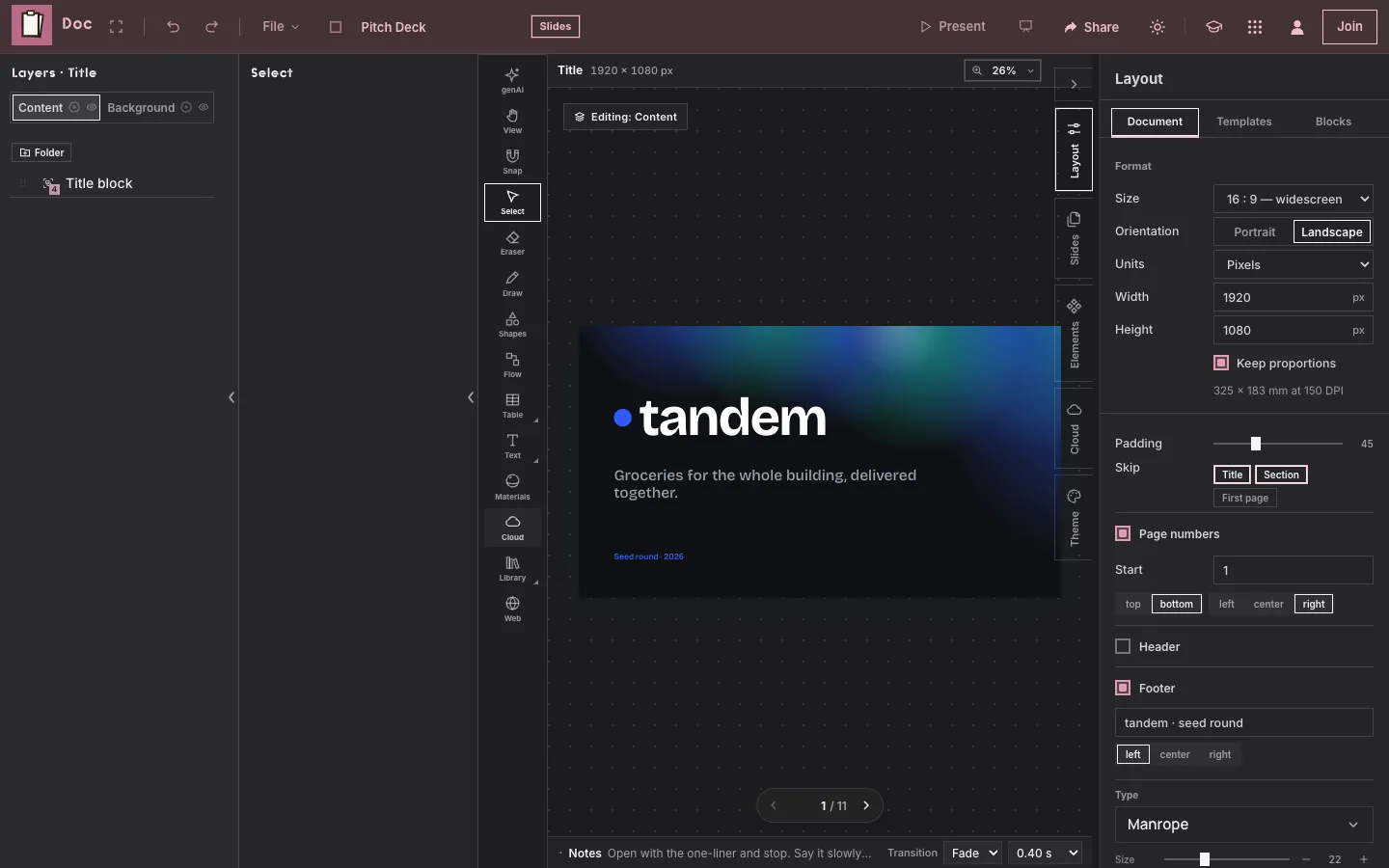
Doc, Weekend Studio's layout app, makes slide decks you present full screen, with speaker notes, a presenter view and a pen. The same app makes posters, photo galleries, folded booklets and written documents. Free, with no account.
Make a presentation How Doc works
- Free
- No account
- PowerPoint in and out
- Print-ready PDF
Five kinds of document, one app
You choose one when you start. Each has its own templates, at least twenty, each made for one real use.
Slides
Pages you place freely and present: decks, portfolios and walkthroughs.
Poster
Posters, flyers and covers, each on one artboard at its own size, with bleed and crop marks for a print shop.
Gallery
Drop in pictures and they arrange themselves, as grids, contact sheets or justified rows.
Write
A document you type, with pages that flow as you write: essays, reports, letters and resumes.
Pages
Booklets and folded brochures, laid out a spread at a time and exported ready to print.
Your own
Start blank at any size, in pixels, millimeters, centimeters or inches.
Building a deck
A deck is built a slide at a time, from parts that already look like the rest of it.
- Blocks: a Headline, an Agenda, a List, a Timeline, Stats, a Quote, a Callout, Badges, People, Cards, a Collage, a Call to action, Contact details and a Phrase, each in the deck's own fonts and colors, made of ordinary text and shapes you change like anything else.
- Themes: pick one, or its light or dark version, and every slide follows. Its palette colors what you select; its fonts set headings, body, subheadings and captions.
- Pictures: from your device, your Cloud or the suite's Library of photos and art, cut to a rectangle, circle, triangle, diamond, hexagon or star.
- Page numbers, a header and a footer on every slide, skipping title and section slides if you like.
- Tables, charts and flowcharts, and a Pen for your own shapes.
Presenting
- Present shows the deck full screen. The arrow keys, the space bar or a presentation clicker move through it; on a phone or tablet, swipe or tap.
- Presenter view opens a second window with the current slide, the next one, your notes, a timer and the clock.
- Speaker notes under each slide, never shown to the audience or in exports.
- Laser and pen: press L for a laser pointer or P to draw on the slide, with Apple Pencil on an iPad.
- Transitions: none, fade or push, at the speed you choose.
- Skip a slide to keep it in the deck but out of the show and the exports.
PowerPoint in, PowerPoint out
Bring a deck you already have, and hand one back that others can edit.
Import .pptx
A PowerPoint file opens as a new document, speaker notes included.
Export .pptx
Text, shapes, pictures, tables, charts, links, speaker notes and skipped slides come across as PowerPoint's own, so the deck stays editable. Anything PowerPoint can't draw comes across as a picture, and Doc says how many.
PDF and PNG
A PDF with pressable links and text you can select and search, or one PNG per slide in a zip.
Posters, booklets and documents too
- Posters export as a PDF with a bleed and crop and registration marks, each poster a page at its own size, ready for a print shop.
- Booklets come in fours, A5 and Half Letter the usual sizes; bi-fold and tri-fold brochures fold from one sheet. The canvas shows the folds, a safe area and the bleed, and the PDF comes as reader's spreads, printer's spreads that print double-sided in order, or single pages.
- Write documents have paragraph styles, pictures that text wraps around, page backgrounds, headers and footers, and an outline view that draws the formatting. They export to Word (.docx) with headings, lists, tables, pictures and captions as Word's own.
- Find and replace across every page, and a version history of the last hour or so kept on your device.
Free, plainly
Doc is free. No account needed. Without an account your documents save in this browser on this device; clearing the browser's data clears them. Save to device… writes the whole document, pictures and fonts inside, as one file you can open again anywhere.
A membership is optional. It adds 100 GB of Cloud storage synced across your devices, sharing and live collaboration, generative AI if you want it, working from your AI assistant (MCP), and posting on Cauchii. Its price shows in your own currency when you choose Log in in the bar above and become a member, and it renews until you cancel. What membership adds.
Questions
Is Doc really free?
Yes. Doc works in your browser with no account, and your documents are kept on your device. A paid membership adds Cloud, sharing and more.
Can I open and save PowerPoint files?
Yes. Import a .pptx as a new document, and export slides, posters and galleries as a .pptx that stays editable in PowerPoint.
Can I present from it?
Yes. Present shows the deck full screen, and Presenter view opens a second window with your notes, the next slide, a timer and the clock.
Does it work on an iPad or a phone?
Yes. On a phone or tablet you swipe or tap through a presentation, and on an iPad you can draw on slides with Apple Pencil while presenting.
Can I make a booklet to print?
Yes. A Pages document lays out a booklet or a folded brochure a spread at a time and exports printer's spreads that come out in order when printed double-sided and folded.
Are the templates made with AI?
Yes, and each one says so with a Made with AI tag. Starting from one doesn't change your work's label: what you make is labeled by what you add.