Weekend Studio · Images
A free Photoshop alternative in your browser
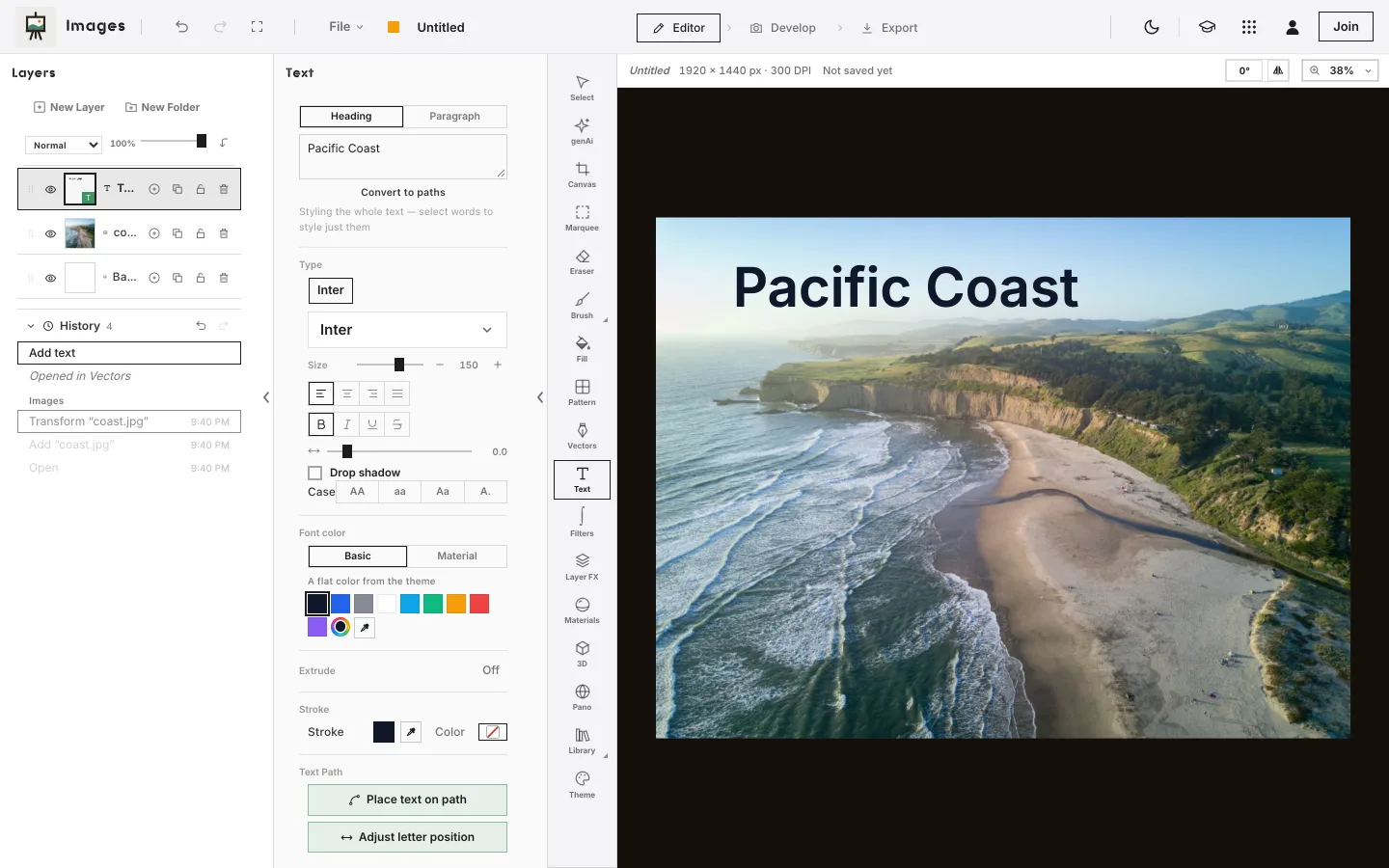
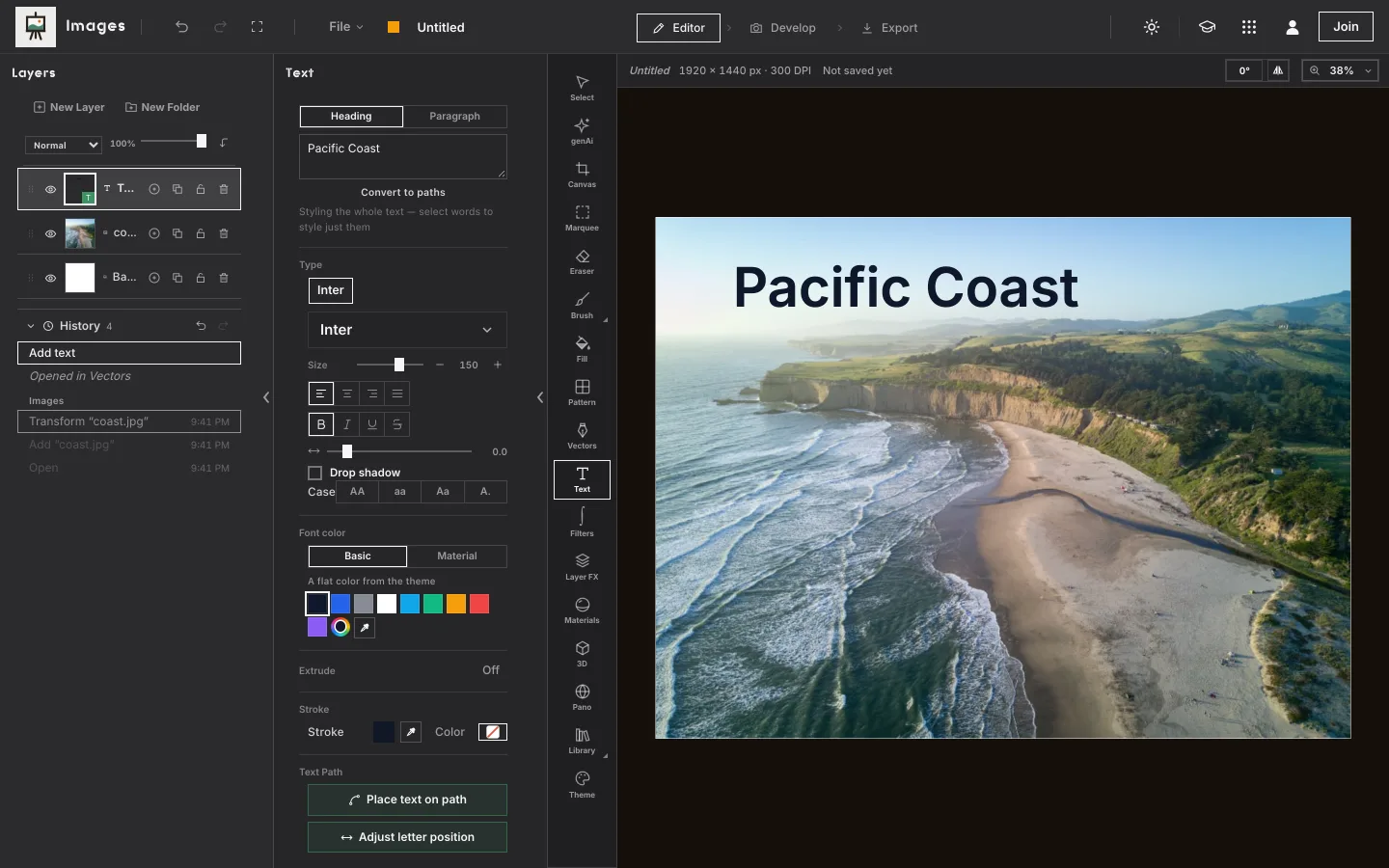
Images, Weekend Studio's photo editor and painting app, edits layered pictures in a web browser: layers and masks, selections, curves and color, text and paint. It opens and saves Photoshop files. Free, with no account.
Open Images See the comparison
- Free
- No account
- Opens and saves PSD
- Any computer or tablet
Who this is for
Someone sent you a PSD
Open it in a browser tab, with its layers, folders, masks and blend modes, change what you need, and save a PSD back. Nothing to install.
You edit on a Chromebook or a shared computer
A school or library computer, a Chromebook, a work laptop you can't install on: Images needs only a browser.
You want layers without a big app
Cut-outs, color, a title on a photo, a poster: layers, masks and selections cover most of it.
Where Photoshop is the better choice
If your work is professional retouching, compositing or print, Adobe Photoshop does a lot that Images doesn't. Plainly:
- Raw files through Camera Raw. Adobe Camera Raw interprets raw files inside Photoshop.1
- Removing things. The Remove tool takes out unwanted objects, with an on-device model or generative AI,2 and Content-Aware Fill fills a selection from its surroundings.3
- Non-destructive depth. Adjustment and fill layers,4 and Smart Objects you edit without changing the original.5 Images opens a PSD's adjustment layers and smart objects as pixels or leaves them out.
- Print color. A CMYK color mode for commercial printing.6 Images works in RGB: its print PDF carries a color profile, and the printer converts it.
- Plugins and Neural Filters. UXP plugins from the Creative Cloud Plugin Marketplace,7 and Neural Filters for portraits and colorizing.8
- Apps on many devices. Desktop on Windows and macOS,9 on the web in desktop browsers,10 on iPad and iPhone,11,12 and a beta for Android phones.12
What Images does
- Layers: drawing, adjustment, Vectors and 3D layers, folders, sixteen blend modes, opacity, alpha lock and masks that hide without erasing.
- Selections: box, circle, lasso, paint, a magic wand by color or brightness, and Object: click a subject and Images finds its edges.
- Color and light: Develop's tools on any layer: exposure, curves, levels, HSL, color wheels and a channel mixer.
- Retouching: clone, retouch and liquify, and layer effects (shadows, outlines, glows) that stay live.
- Text, paint and shapes: type on a layer, the full set of painting brushes, and vector shapes on a Vectors layer.
- Photos: stitch several into a panorama, and develop a photo's light and color as a step in the same window.
- Exports: PNG, JPEG and WebP at sizes and crops for where you post, a layered PSD, and a PDF for print with bleed and crop marks.
Photoshop files, honestly
A PSD opens as a new image with its layers. Here is what comes over, and what doesn't. Images lists what it left out as the file opens.
What comes over
Layers, folders, masks, blend modes and opacity. A blend mode Images doesn't have becomes the nearest of its sixteen, and it says which.
What changes
Text layers and smart objects become pixels: they look the same, but the words and contents are no longer editable. A folder inside a folder joins its parent.
What's left out
Adjustment layers and layer effects (shadows, strokes, glows). On a phone or iPad, a file with too-large layers opens as one picture. Saving a PSD works on a computer or iPad.
Side by side
Photoshop's facts are from its own website and help pages, as of November 2026.
| Images (Weekend Studio) | Photoshop | |
|---|---|---|
| Runs on | A web browser on Windows, ChromeOS, Android, macOS, Linux and iPadOS. Phones too, with a smaller layout. | Windows and macOS;9 the web in desktop Chrome or Edge;10 iPad and iPhone; Android phones in beta.11,12 |
| Install | Nothing to install. Needs a connection to open. | Desktop and mobile apps; the web version in a browser.9,10 |
| Layers and masks | Folders, masks, sixteen blend modes, adjustment layers. | Adjustment and fill layers, Smart Objects.4,5 |
| Cutting out and removing | Object selection (click a subject and Images finds its edges); clone and retouch. | The Remove tool and Content-Aware Fill.2,3 |
| Raw photos | Develop's tools as a step; raw files open in Develop. | Adobe Camera Raw.1 |
| Photoshop files | Opens PSD with layers and lists what it left out; saves PSD with layers and masks. | PSD is its native format.13 |
| Generative AI | Off unless you ask: needs a membership or your own ComfyUI. Anything generated is labeled. | Built in, for example in the Remove tool and Neural Filters.2,8 |
Free, plainly
Images is free. No account and no watermark. Without an account your work is kept in this browser on this device, so save a copy now and then (File › Save to device…) if it matters to you: clearing the browser's data clears it.
A membership is optional. It adds 100 GB of Cloud storage synced across your devices, sharing and live collaboration, generative AI if you want it, working from your AI assistant (MCP), and posting on Cauchii. Its price shows in your own currency when you choose Log in in the bar above and become a member, and it renews until you cancel. What membership adds.
Questions
Is Images really free?
Yes. Images works in your browser with no account, and your work is kept on your device. A paid membership adds cloud storage, sharing, live collaboration and generative AI if you want it.
Can it open my Photoshop files?
Yes. A PSD opens with its layers, folders, masks, blend modes and opacity. Adjustment layers and layer effects are left out, and text and smart objects become pixels; Images lists what it left out. It saves a PSD back with layers and masks, on a computer or iPad.
Does it work on a Chromebook?
Yes, in Chrome or another up-to-date browser with WebGL 2. Nothing is installed.
Does it work offline?
No. Images opens from the web, so it needs a connection to start. Without an account, your work is kept in your browser on your device.
Does it use AI?
Only if you want it. Generative AI is a separate tool that needs a membership or your own ComfyUI, and anything it makes is labeled. Members can switch it off entirely.
Is Weekend Studio connected to Photoshop?
No. Weekend Studio is made by Weekend Industries and has no connection to Photoshop or Adobe. Photoshop is named here only to compare.
Sources
What this page says about Photoshop, and where it comes from. Checked November 16, 2026.
- https://helpx.adobe.com/camera-raw/desktop/get-started/overview-and-setup/introduction-camera-raw.html: Adobe Camera Raw: interprets camera raw files in Photoshop.
- https://helpx.adobe.com/photoshop/desktop/repair-retouch/remove-objects-fill-space/remove-unwanted-objects-and-distractions.html: Photoshop help, Remove tool: with an on-device model or generative AI.
- https://helpx.adobe.com/photoshop/desktop/repair-retouch/remove-objects-fill-space/remove-objects-with-content-aware-fill.html: Photoshop help, Content-Aware Fill.
- https://helpx.adobe.com/photoshop/desktop/create-manage-layers/color-adjustment-fill-layers/work-with-adjustment-and-fill-layers.html: Photoshop help, adjustment and fill layers.
- https://helpx.adobe.com/photoshop/desktop/create-manage-layers/smart-objects/create-embedded-smart-objects.html: Photoshop help, Smart Objects.
- https://helpx.adobe.com/photoshop/desktop/adjust-color/choose-colors/color-modes-in-photoshop.html: Photoshop help, color modes: CMYK for commercial printing.
- https://helpx.adobe.com/photoshop/desktop/app-integrations/supported-plugins-and-extensions.html: Photoshop help, plugins: UXP plugins through the Creative Cloud Plugin Marketplace.
- https://helpx.adobe.com/photoshop/desktop/effects-filters/neural-filters/use-neural-filters-to-enhance-images.html: Photoshop help, Neural Filters.
- https://helpx.adobe.com/photoshop/desktop/get-started/technical-requirements-installation/adobe-photoshop-on-desktop-technical-requirements.html: Photoshop on desktop, requirements: Windows and macOS.
- https://helpx.adobe.com/photoshop/web/get-set-up/learn-the-basics/technical-requirements.html: Photoshop on the web, requirements: desktop Chrome and Edge; no editing on mobile browsers.
- https://www.adobe.com/products/photoshop/app.html: Photoshop apps: desktop, web, mobile and iPad.
- https://helpx.adobe.com/photoshop/mobile/get-set-up/learn-the-basics/technical-requirements.html: Photoshop on mobile, requirements: iPhone; Android (Beta), phones only.
- https://www.adobe.com/creativecloud/file-types/image/raster/psd-file.html: Adobe: PSD is the native file format of Photoshop.
Adobe, Illustrator, Lightroom, and Photoshop are either registered trademarks or trademarks of Adobe in the United States and/or other countries, named here only to compare. Weekend Studio isn't affiliated with, endorsed by or sponsored by Adobe. Seen something out of date? Tell us and we'll fix it.