
Weekend Studio · Moods
A free Miro alternative for moodboards
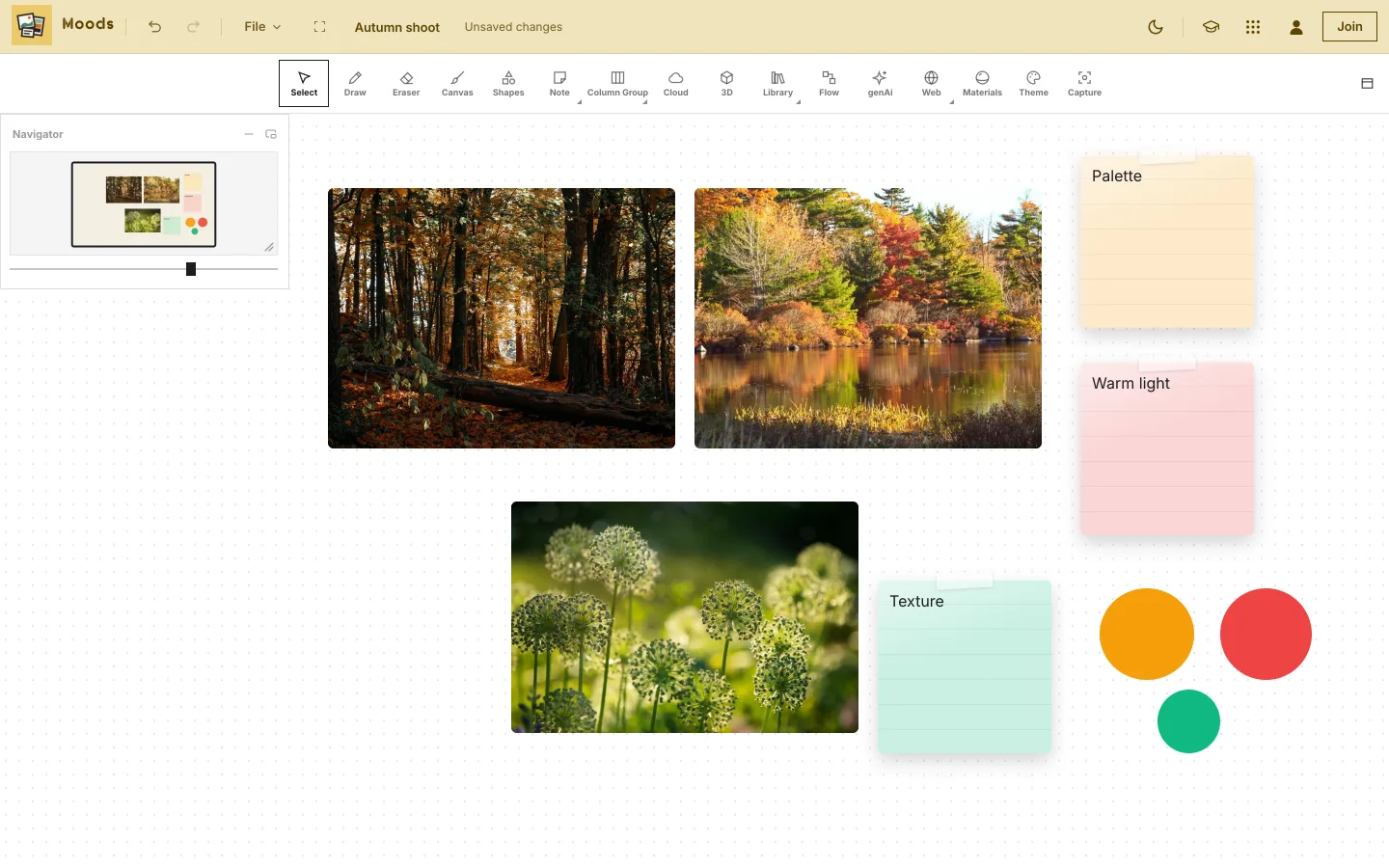
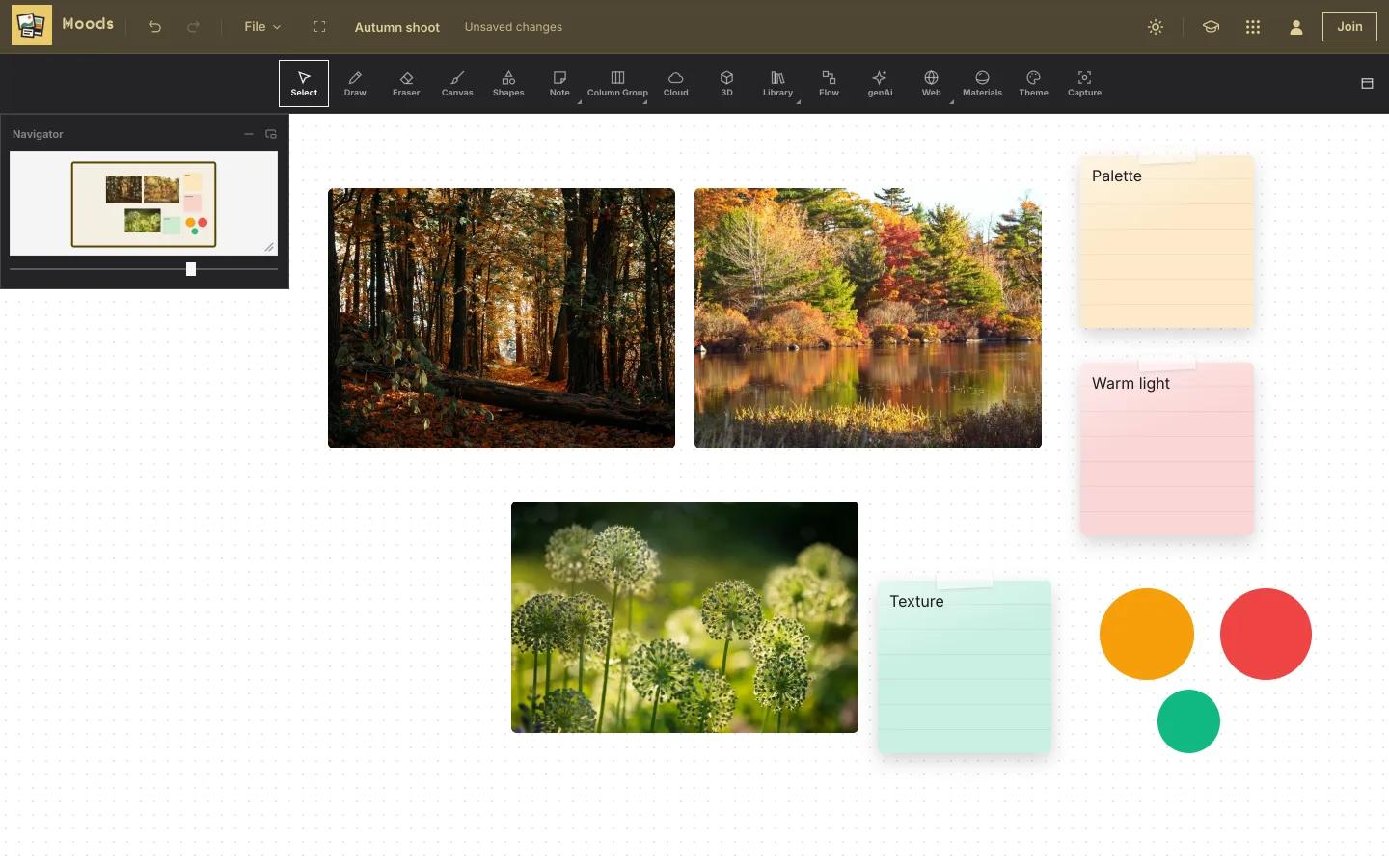
Moods, Weekend Studio's board app, is made for collecting and arranging: pictures, notes, drawings, video, 3D models and live web pages, side by side on an endless board. In a web browser, free, with no account.
Start a board See the comparison
- Free
- No account
- Pictures first
- Video, 3D and web pages
Who this is for
You make moodboards
For a shoot, a room, a brand or a story: pictures first, with notes, swatches and sketches around them.
You work alone, or with a few people
Make boards free on your own device. Members share a board and edit it together live.
You mix media
A photo, a YouTube clip, a 3D model, an Instagram post and a page from the web, all on one board.
Where Miro is the better choice
If your team plans, diagrams and runs workshops together, Miro does a lot that Moods doesn't. Plainly:
- Made for teams in real time. Collaborators' cursors show live in matching colors,1 with chat next to the cursor,2 and comments with @mentions.3
- Templates by the thousand, curated from its community in Miroverse.4
- Connected to the tools teams use: 250+ apps,5 Jira issues on the board,6 Slack,7 Google Drive8 and Microsoft Teams.5
- Talktrack: screen and video recordings that sit on the canvas.9
- Diagramming with over 2,000 shapes, from UML to cloud architecture.10 Moods' flows have six kinds of node.
- Desktop and mobile apps for Windows, Mac, iOS and Android.11
What Moods does
- Pictures: from your device or a library of photos, art and illustration, with crop, mask, caption, credit and alt text. Markup and pins on any picture.
- Notes and drawing: text, sticky notes, shapes and freehand drawing, with Apple Pencil on an iPad.
- Live web pages: paste a link and the page works on the board. Posts from Instagram, Pinterest, TikTok and YouTube, Figma files and more show the way the site shares them.
- Video and 3D: video trimmed, cropped and graded on your device as it comes in; 3D models you can turn and light.
- Tables, checklists, charts and flows: CSV in and out, forms and task lists, pie charts, histograms and line charts, and flow diagrams with templates.
- Capture: export any region of the board as a PNG or PDF, and save the region to export again later.
- Version history: recent snapshots of a board kept on your device.
Use both, if you like
A link to a Miro board is one of the links Moods shows working on the board, along with Figma, Loom and Google Docs.
Paste the link
A shared board link lands on your Moods board live: switch it to Active to scroll and click inside it.
Keep the pictures in Moods
Collect and arrange the visual side in Moods, where pictures, video and 3D are the point.
Export a region
Send a part of the board as a PNG or PDF to wherever your team works.
Side by side
Miro's facts are from its own website and help pages, as of November 2026.
| Moods (Weekend Studio) | Miro | |
|---|---|---|
| Runs on | A web browser on Windows, ChromeOS, Android, macOS, Linux and iPadOS, and phones with every tool. | Desktop apps for Windows and Mac, mobile apps for iOS and Android,11 and the browser.12 |
| Made for | Moodboards and visual collecting. | An infinite canvas for brainstorming and teamwork.13 |
| Media on the board | Pictures, video, GIFs, 3D models, live web pages and post embeds. | Docs, Sheets and Slides from Google Drive, among 250+ apps.5,8 |
| Working together | Members: share by email or link, edit live together. | Live cursors, cursor chat, comments, Talktrack.1,2,3,9 |
| Generative AI | Off unless you ask: needs a membership or your own ComfyUI. Members can turn it off for their whole account. | Miro AI, for example diagrams from a prompt.10 |
Free, plainly
Moods is free. No account needed. Without an account your boards save in this browser on this device; clearing the browser's data clears them.
A membership is optional. It adds 100 GB of Cloud storage synced across your devices, sharing and live collaboration, generative AI if you want it, working from your AI assistant (MCP), and posting on Cauchii. Its price shows in your own currency when you choose Log in in the bar above and become a member, and it renews until you cancel. What membership adds.
Questions
Is Moods really free?
Yes. Moods works in your browser with no account, and your boards are kept on your device. A paid membership adds Cloud, sharing and editing together live.
Can I work on a board with other people?
Yes, as a member: share a board by email or link, and editors change it live with you. Anyone invited to edit needs a membership too.
Can I put a Miro board on a Moods board?
Yes. Paste a shared board link and it shows working on the board.
Does it work on an iPad or a phone?
Yes. On a phone the tools run along the bottom and every tool is there. On an iPad, Apple Pencil draws.
Does it work offline?
No. Moods opens from the web, so it needs a connection to start.
Is Weekend Studio connected to Miro?
No. Weekend Studio is made by Weekend Industries and has no connection to Miro or RealtimeBoard, Inc.. Miro is named here only to compare.
Sources
What this page says about Miro, and where it comes from. Checked November 16, 2026.
- https://help.miro.com/hc/en-us/articles/360013358479-Attention-management: Miro help: collaborators' cursors in matching colors.
- https://help.miro.com/hc/en-us/articles/39970518294674-Cursor-chat: Miro help, cursor chat.
- https://help.miro.com/hc/en-us/articles/360017730873-Comments: Miro help, comments.
- https://miro.com/templates/: Miroverse: board templates curated from the community.
- https://miro.com/integrations/: Miro integrations: 250+ apps, Microsoft Teams.
- https://help.miro.com/hc/en-us/articles/360017572434-Jira-Cards: Miro help, Jira Cards.
- https://miro.com/integrations/slack/: Miro for Slack.
- https://miro.com/marketplace/google-drive/: Miro for Google Drive.
- https://miro.com/capabilities/talktrack/: Miro Talktrack: recordings that sit on the canvas.
- https://miro.com/diagramming/: Miro diagramming: over 2,000 shapes; diagrams from a prompt with Miro AI.
- https://miro.com/apps/: Miro apps: Windows, Mac, iOS and Android.
- https://help.miro.com/hc/en-us/articles/32486862599442-Miro-AI-admin-controls: Miro help, Miro AI admin controls: browser; Enterprise.
- https://miro.com/whiteboard/: Miro: an infinite canvas for creative brainstorming.
Miro is a trademark or registered trademark of RealtimeBoard, Inc., named here only to compare. Weekend Studio isn't affiliated with, endorsed by or sponsored by RealtimeBoard, Inc.. Seen something out of date? Tell us and we'll fix it.